Pipedrive Review – Features, Pricing, Pros & Cons
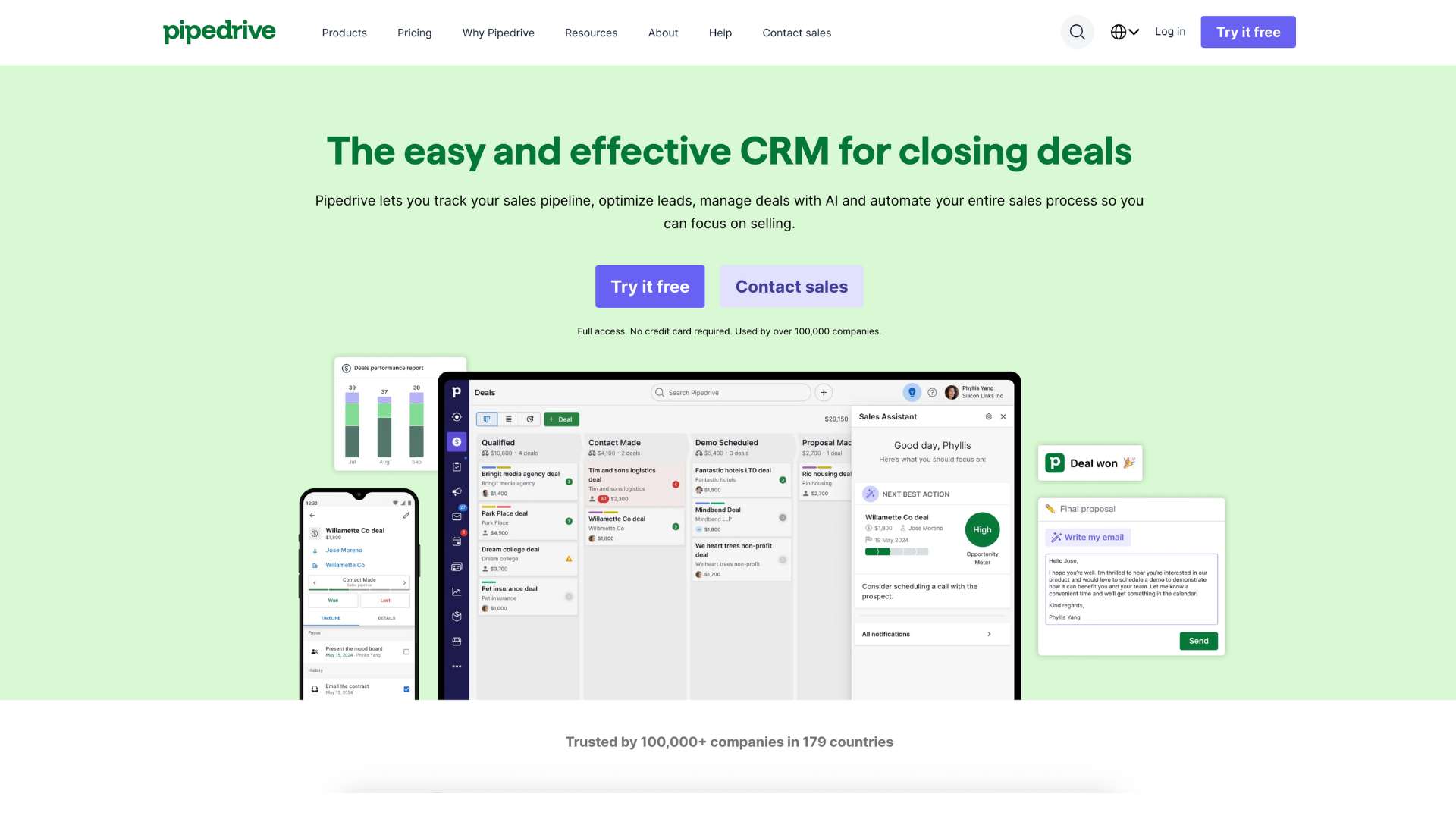
Pipedrive is a customer relationship management (CRM) software designed to simplify sales pipeline management, streamline lead nurturing, and boost team productivity. Unlike traditional CRMs that overwhelm users with features they rarely use, Pipedrive focuses on what matters most to sales professionals—closing deals.
Built by salespeople for salespeople, Pipedrive makes it easy to track conversations, visualize pipelines, automate repetitive tasks, and collaborate with teammates across the deal lifecycle. It’s especially popular among small to mid-sized businesses (SMBs), startups, and consultants looking for a lean, action-oriented CRM solution.
At its core, Pipedrive solves a common problem: messy spreadsheets and follow-up chaos. With its intuitive interface and automation tools, it helps users stay on top of leads and never miss an opportunity.
Company Background
Pipedrive was founded in 2010 by five Estonian entrepreneurs—Timo Rein, Urmas Purde, Ragnar Sass, Martin Henk, and Martin Tajur—who were frustrated with clunky CRM tools that didn’t serve salespeople’s real needs.
The company was born out of this frustration, with the goal of creating a tool that would prioritize usability and action over administration.
Headquartered in Tallinn, Estonia, Pipedrive has grown rapidly over the years, now serving over 100,000 companies across 179 countries. In 2020, the company was acquired by Vista Equity Partners, a U.S.-based private equity firm specializing in software and enterprise solutions.
Website: https://www.pipedrive.com
Today, Pipedrive stands as a global SaaS leader with offices in New York, Lisbon, London, Prague, and Riga. Despite its international growth, it has stayed true to its original mission—helping salespeople sell better.
Key Features
Pipeline & Deal Management
- Visual Sales Pipelines: Customize your sales stages and drag-and-drop deals to move them forward.
- Multiple Pipelines: Track different product lines or departments separately.
- Activity Scheduling: Assign tasks and set reminders directly within each deal.
Sales Automation
- Workflow Automations: Automate follow-ups, status updates, and task assignments.
- Email Sequences: Send pre-scheduled series of emails based on deal stage or triggers.
- Auto Activity Scheduling: Automatically set meetings after certain actions are completed.
Contact & Lead Management
- Lead Inbox: Organize and qualify incoming leads before they enter your main pipeline.
- Smart Contact Data: Enrich contact profiles automatically from public web data.
- Live Chat & Chatbot: Engage leads via embedded website chat that feeds into the CRM.
Email & Communication Tools
- Two-Way Email Sync: Connect with Gmail, Outlook, or any IMAP-compatible client.
- Email Tracking: Get notifications when emails are opened or links are clicked.
- Built-in Calling: Place and record calls directly from within Pipedrive.
Reporting & Forecasting
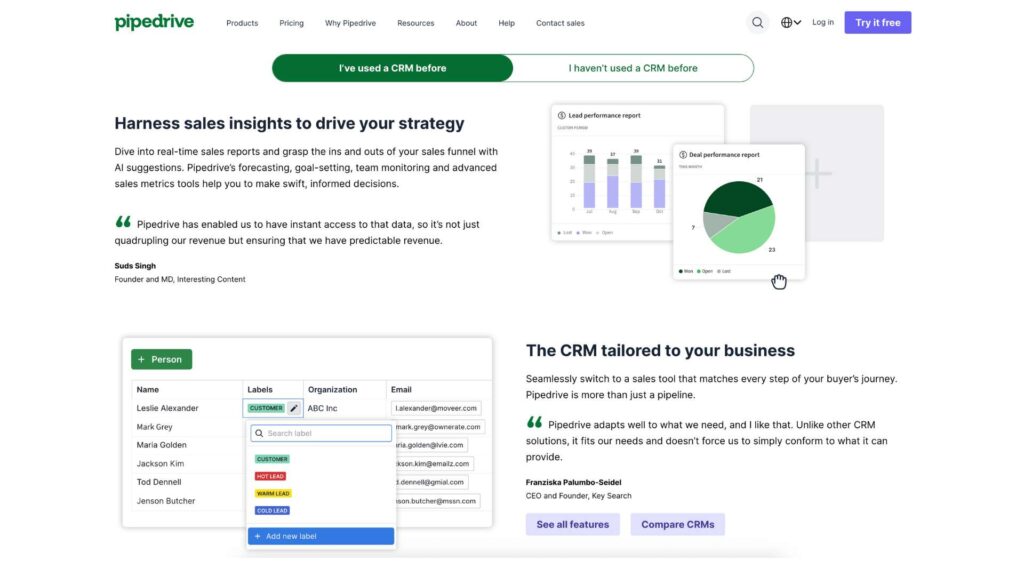
- Custom Dashboards: Visualize metrics by team, individual, or product line.
- Revenue Forecasting: Project income based on deal values and probabilities.
- Goal Tracking: Monitor individual and team targets in real time.
Mobile CRM
- iOS and Android Apps: Full access to your deals, contacts, and tasks.
- Offline Mode: Continue working without a connection—syncs when you’re back online.
- Push Notifications: Instant updates on tasks, mentions, and deals.
AI Sales Assistant
- Smart Tips: Recommends actions to move deals forward based on past performance.
- Insights & Trends: Surfaces patterns in your team’s activity and results.
- Daily Progress Summary: Personalized updates to keep you on track.
Integrations
- Marketplace: Connect with over 300 apps including Slack, Zoom, Microsoft Teams, Trello, and more.
- Zapier Support: Automate workflows with 3,000+ external apps.
- Open API: Build custom integrations or connect internal tools.
Security & Compliance
- Two-Factor Authentication: Secure login processes for all users.
- Granular Permissions: Role-based access for admins and users.
- GDPR Compliance: Tools to manage data subject requests and protect privacy.
User Interface and Experience (UI/UX)
Pipedrive is often praised for its simplicity and speed. The interface revolves around a clean visual pipeline where deals are clearly represented by cards. Drag-and-drop functionality makes it feel more like a productivity app than a traditional CRM.
The onboarding experience is excellent. New users are guided through setup with tooltips, templates, and step-by-step wizards. Most users can go from signup to sending follow-ups within an hour.
The mobile apps offer nearly full functionality compared to the desktop version. Everything from calling to reporting is accessible on the go, and the offline sync makes it reliable for field agents or traveling sales reps.
Platforms Supported
| Platform | Availability |
|---|---|
| Web-based | Yes (Cloud-hosted) |
| Windows/macOS | Browser-based access |
| iOS/Android | Native apps available |
| Offline Access | Mobile apps support offline work |
Pricing
| Plan Name | Price (Per User/Month, Billed Annually) | Key Features | Best For |
|---|---|---|---|
| Essential | $14 | Pipeline view, activities, mobile app | Freelancers, Individuals |
| Advanced | $29 | Email sync, automations, contact enrichment | Small Sales Teams |
| Professional | $49 | Forecasting, eSignatures, custom reporting | Growing SMBs |
| Power | $64 | Project planning, team permissions | Mid-sized Teams |
| Enterprise | $99 | Unlimited customization, priority support | Enterprises |
- Free Trial: 14 days
- Free Plan: None
Pros and Cons
Pros
- User-Friendly Interface: Intuitive layout makes onboarding and daily use fast.
- Powerful Automations: Workflows and triggers save hours every week.
- Excellent Mobile Support: Apps are fast, fully-featured, and reliable.
- Strong Integrations: Works well with most tools sales teams already use.
- Focused on Sales: Unlike bloated CRMs, Pipedrive keeps features relevant and streamlined.
Cons
- No Free Tier: Solo users may find entry cost steep compared to HubSpot.
- Limited Marketing Tools: Lacks built-in email marketing or ad integration.
- Basic Reporting at Lower Tiers: Some advanced reporting requires higher plans.
- Not Ideal for Support Teams: Doesn’t include help desk or ticketing tools.
Customer Support and Resources
Pipedrive offers comprehensive support through multiple channels:
- Live Chat: 24/7 access for all paid users.
- Email Support: Fast response times across time zones.
- Help Center: Detailed guides, searchable database, onboarding checklists.
- Video Tutorials: Visual learning for all features.
- Webinars: Weekly live sessions for advanced users.
The company also maintains an active online community where users can share tips, use cases, and feedback.
Real-World Use Cases / Ideal Users
- Startup Sales Teams:
Pipedrive enables growing teams to track leads, collaborate on deals, and forecast revenue without investing in bulky enterprise software. - Consultants & Coaches:
Solo professionals managing multiple clients benefit from the clean pipeline interface and easy follow-up reminders. - Real Estate Firms:
Agents can manage property leads, client communications, and transaction stages with custom pipelines and automation. - Agencies & Service Providers:
Keep projects and client interactions organized while integrating with tools like Slack, Trello, or Google Workspace. - SaaS and Tech Companies:
Use forecasting tools, API integrations, and email tracking to optimize conversions and reduce churn.
User Reviews and Ratings
| Platform | Rating | Highlights |
|---|---|---|
| G2 | 4.2/5 | Smooth UX, sales-focused layout, but minor customization limits |
| Capterra | 4.5/5 | Mobile app praised, automations highly rated |
| Trustpilot | 4.3/5 | Support and pricing transparency get high marks |
User Quote:
“Pipedrive is the most intuitive sales tool I’ve used in 15 years. It keeps my team focused, and we’ve increased deal velocity by 40%.” — Sophie D., Marketing Agency Owner
Best Alternatives
| Alternative | Best For | Comparison with Pipedrive |
|---|---|---|
| HubSpot CRM | Marketing + Sales teams | Offers free plan and robust marketing tools |
| Salesforce | Enterprise-level customization | Far more complex, but highly flexible |
| Zoho CRM | All-in-one business management | Includes inventory, finance, and email marketing features |
| Freshsales | Teams needing built-in calling tools | Stronger communication tools, slightly steeper UI learning |
| Monday Sales CRM | Task-driven sales tracking | Combines CRM with project and task management workflows |
Summary
Pipedrive stands out as a dedicated CRM tool that strips away complexity and empowers sales teams to stay productive, organized, and focused on closing deals. Its visual pipelines, customizable workflows, and clean design make it an attractive solution for small and medium businesses, consultants, and agencies alike.
While it doesn’t offer a free tier or robust marketing automation, what it lacks in breadth, it makes up for in execution. If your primary goal is to convert leads and optimize your sales process, Pipedrive offers exceptional value.
Visit Pipedrive.com to start your free trial, or explore more CRM software comparisons at usefully.site.
Media
Pipedrive CRM Tutorial: How To Use Pipedrive for Beginners (2025)
Pipedrive CRM Tutorial for Beginners | Streamline Your Sales Pipeline in 2025 (Full Demo)
Pipedrive CRM Tutorial 2025: How To Use Pipedrive For Beginners