OneNote Review Features, Pricing, Pros & Cons
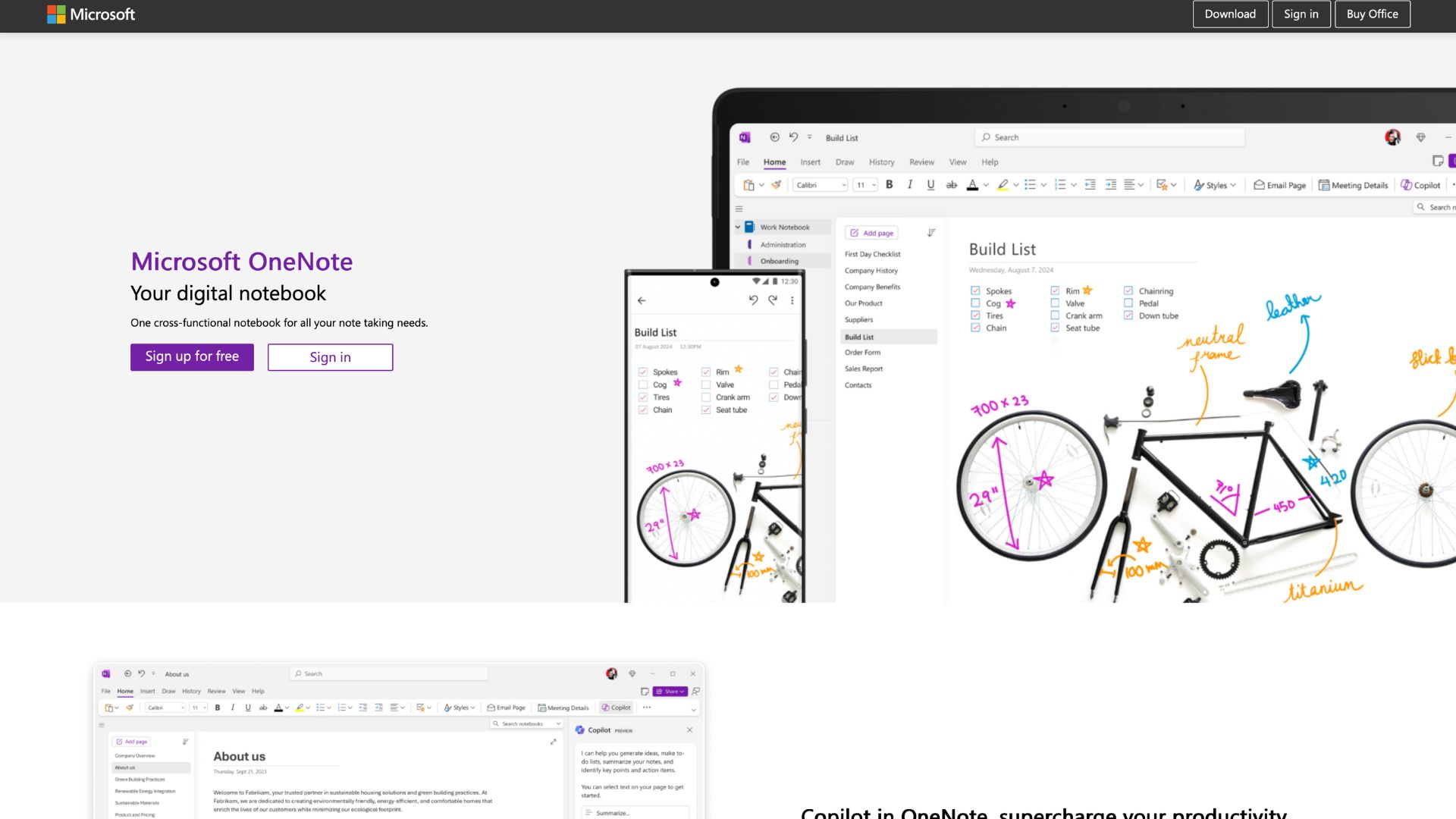
Microsoft OneNote is a versatile, cloud-synced digital notebook that allows users to capture ideas, organize notes, and collaborate in real time. Whether you’re taking lecture notes, planning a project, or drafting business strategies, OneNote helps turn scattered thoughts into structured content.
The software addresses a common pain point: the disorganization of information across physical notebooks, sticky notes, and documents. By centralizing all types of content—from handwritten scribbles to embedded PDFs and synced audio—OneNote creates a seamless digital workspace.
It’s built for students, educators, remote workers, creatives, and professionals who value a well-organized system for capturing, storing, and sharing knowledge.
Company Background
OneNote was developed by Microsoft and officially launched in 2003. It began as part of the Microsoft Office suite but has since evolved into a standalone, cloud-synced platform available on virtually every device. In 2014, Microsoft made OneNote free for everyone, a bold move that signaled its vision for capturing and organizing ideas as a core productivity tool.
Headquartered in Redmond, Washington, Microsoft has continually invested in OneNote’s evolution, introducing features like ink-to-text, handwriting recognition, and, more recently, AI-powered tools via Microsoft Copilot. OneNote is part of the broader Microsoft 365 ecosystem, integrating tightly with Word, Excel, Outlook, and Teams.
Key Features
| Feature Category | Notable Capabilities | User Benefit |
|---|---|---|
| Organization | Notebooks, sections, pages, tags | Mimics real notebooks with limitless page hierarchy |
| Multimedia | Embed videos, images, links, PDFs, Excel sheets | Combines formats in one place |
| Ink & Sketching | Handwriting, drawing, highlighting (stylus support) | Ideal for tablets and creatives |
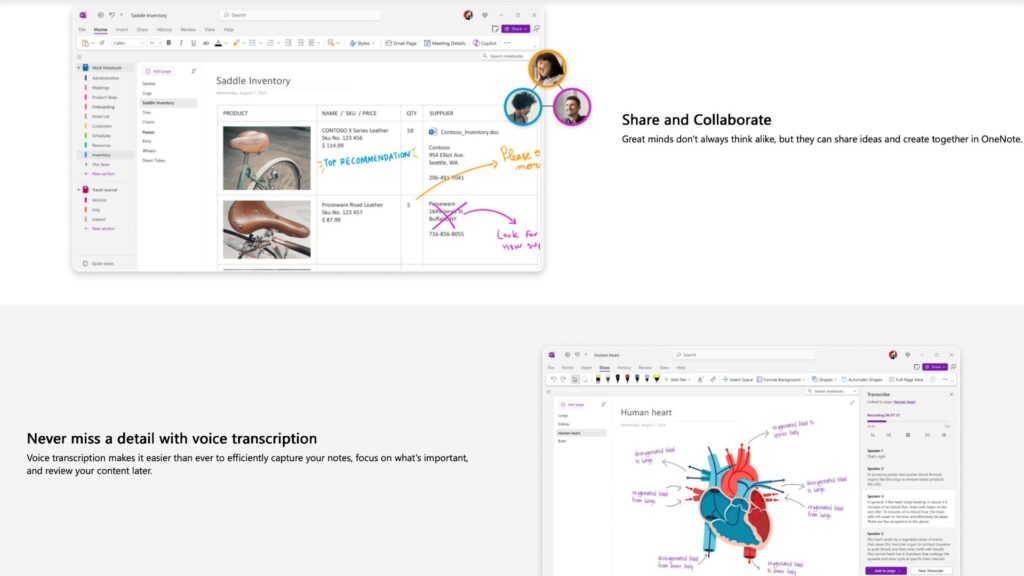
| Collaboration | Shared notebooks, real-time co-authoring | Great for teams and class groups |
| AI Integration | Microsoft Copilot: summarization, search, smart suggestions | Enhances productivity through automation |
| Search & OCR | Finds text in images and handwritten notes | Powerful content retrieval |
| Templates | Academic, business, and project planning layouts | Jumpstart productivity with prebuilt formats |
| Cross-platform Sync | Cloud syncing via OneDrive across all devices | Access notes anywhere, anytime |
These features allow users to do everything from basic to-do lists and daily logs to brainstorming diagrams and multimedia research notebooks.
User Interface and Experience (UI/UX)
OneNote’s interface is clean and familiar to users of Microsoft products. It uses the ribbon-style toolbar, providing a rich set of formatting tools without overwhelming the screen. Each notebook contains tabbed sections, and each section houses individual pages that can be freely customized with text, drawings, or embeds.
The onboarding experience is smooth: upon launching, new users are guided through setting up their first notebook, creating sections, and experimenting with content types.
On mobile, OneNote offers a streamlined experience with fewer editing tools but excellent viewing and quick-capture capabilities. Tablet users benefit from pressure-sensitive stylus input and palm rejection, ideal for handwritten notes or sketching.
Accessibility features include immersive reader mode, text-to-speech, and color customization for visual comfort.
Platforms Supported
OneNote is one of the most accessible note-taking tools on the market:
- Web: Fully functional via OneNote.com; ideal for browser-based users
- Desktop: Windows and macOS apps available (includes full features, offline support)
- Mobile: Available on iOS and Android; optimized for quick notes, photos, and syncing
- Cloud-based: Syncs via OneDrive; works offline with automatic sync when reconnected
Users can move between platforms without losing content or formatting, which makes it ideal for cross-device workflows.
Pricing
OneNote’s pricing model is a significant advantage. Here’s a breakdown:
| Plan | Price | Key Inclusions | Ideal For |
|---|---|---|---|
| Free | $0 | Unlimited notebooks, sync via OneDrive, core features | Students, solo users |
| Microsoft 365 Personal | $69.99/year | 1 TB OneDrive, advanced collaboration, Copilot AI | Freelancers, professionals |
| Microsoft 365 Family | $99.99/year | Up to 6 users, full suite access | Families, households |
| Microsoft 365 Business | From $6/user/month | Teams integration, SharePoint, admin controls | Companies, schools, organizations |
OneNote is also included in Office Home & Student (one-time license), though AI features like Copilot require a Microsoft 365 subscription.
Pros and Cons
Pros:
- Free & Powerful: Generous features even on the free plan
- Cross-platform Sync: Seamless transition across devices
- AI Capabilities: Enhanced productivity through Copilot integration
Cons:
- Clunky Search on Mobile: Finding old notes on mobile can be frustrating
- Learning Curve for Deep Features: Tagging, templates, and formatting take time to master
- Design Inconsistency: Slight UX differences between web, Windows, and Mac versions
Customer Support and Resources
Microsoft provides a robust support ecosystem for OneNote:
- Support Channels: Email, live chat (for 365 users), extensive help center
- Availability: 24/7 for premium users; community support for free users
- Resources:
- Official YouTube tutorials and webinars
- In-app tooltips and guided tours
- Microsoft Learn articles and forums
Users can also access dedicated educational material for teachers and students.
Real-World Use Cases / Ideal Users
Students & Educators
OneNote is a staple in classrooms worldwide. Teachers can create shared notebooks for lectures, while students can take multimedia notes, record voice lectures, and organize subjects efficiently.
Remote Teams & Professionals
Project managers and teams use OneNote to brainstorm, document meeting notes, and collaborate asynchronously. The integration with Outlook and Teams makes it easy to embed notes directly into workflows.
Content Creators & Writers
Creative users benefit from the infinite canvas, sketching tools, and multi-format content support. Writers can draft outlines, collect research, and embed reference links all in one place.
Entrepreneurs
From pitching ideas to planning content calendars, OneNote supports entrepreneurs with flexible, easily updated content structures.
User Reviews and Ratings
On various platforms, OneNote consistently scores high:
- G2: 4.5/5 – praised for flexibility and deep integration with Microsoft apps
- Capterra: 4.6/5 – users love the handwriting and drawing features
- TrustRadius: 8.7/10 – noted for powerful syncing and organizational tools
User Feedback Highlights:
“I replaced all my physical notebooks with OneNote. It’s my digital brain.” – G2 Reviewer
“I love how it syncs instantly between my phone, tablet, and desktop.” – Capterra Reviewer
Common complaints mention minor lag on large notebooks and occasional syncing delays.
Best Alternatives
| Alternative | Best For | Comparison with OneNote |
|---|---|---|
| Evernote | Advanced search, business integrations | More polished UI, but limited free tier |
| Notion | Project management + docs in one | More modular, but lacks sketching/inking |
| Google Keep | Quick notes and voice capture | Simpler, but less robust for long notes |
| Obsidian | Local, markdown-based PKM | Great for coders and writers, less visual |
| Joplin | Privacy-focused, open source | Less intuitive UI, but strong for offline use |
Each offers strengths, but OneNote remains a top pick for users in the Microsoft ecosystem or those needing strong handwriting/multimedia support.
Summary
Microsoft OneNote is a powerhouse digital notebook that delivers flexibility, depth, and accessibility—all at zero cost for most users. With rich multimedia support, seamless syncing, and integration with AI tools like Copilot, it meets the needs of individuals and teams alike.
Its strength lies in its adaptability: it’s just as useful for a student taking chemistry notes as it is for a CEO planning next quarter’s goals. While there are a few UX quirks and a slight learning curve, OneNote remains one of the most capable and generous note-taking apps available.
Explore OneNote today at onenote.com, or browse more reviews and productivity tool comparisons on usefully.site.
Media
5 new features in Microsoft OneNote for 2025
OneNote Tutorial 2025: How To Use OneNote For Beginners