Mailchimp Review: Features, Pricing, Pros & Cons
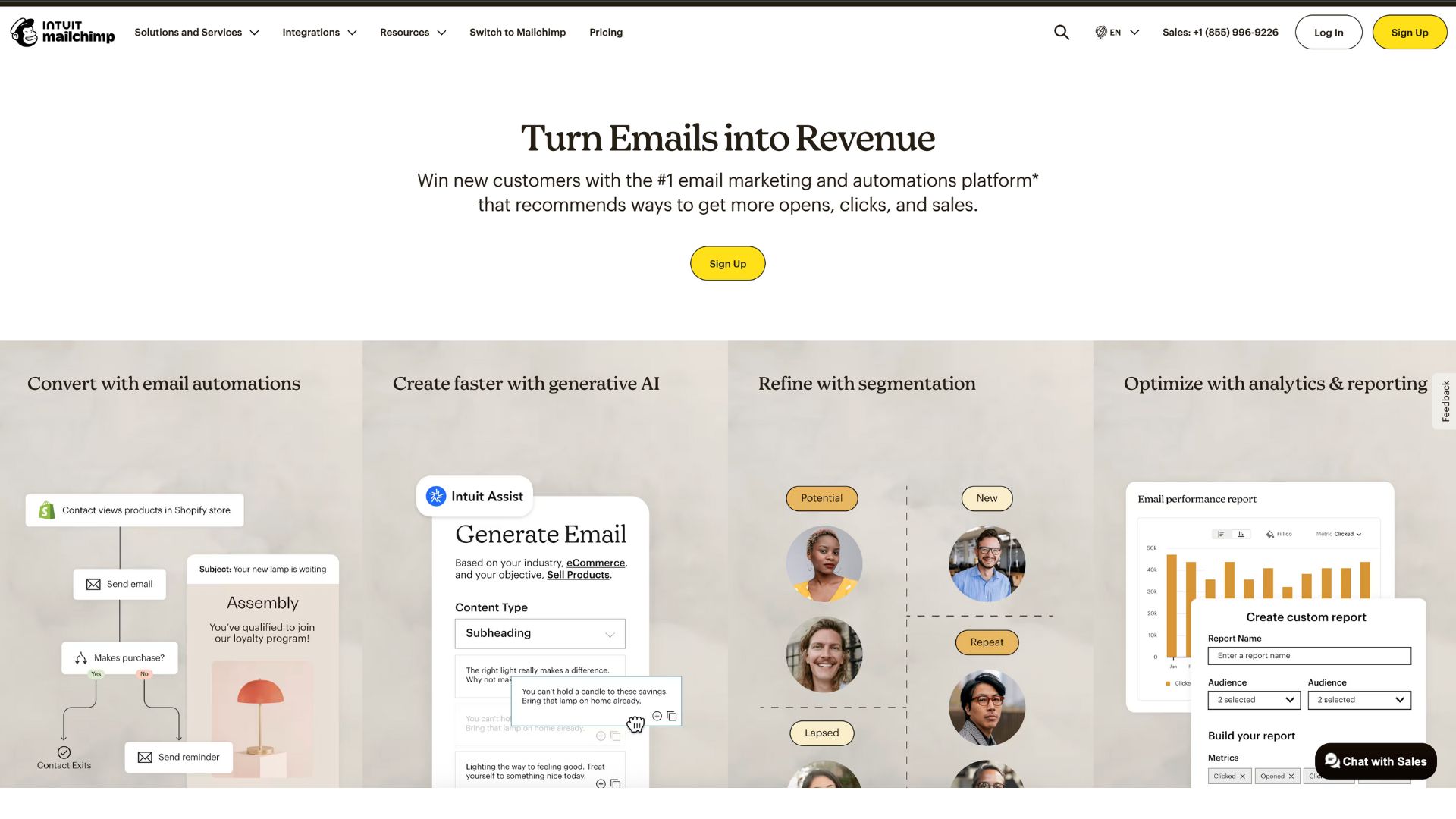
Mailchimp is a leading all‑in‑one marketing automation platform designed to empower small businesses, freelancers, and agencies to create, launch, and analyze email and digital campaigns with ease.
It solves the challenge of managing email lists, automating customer journeys, and measuring performance across channels—all from one centralized dashboard.
Ideal for entrepreneurs, e‑commerce stores, and marketing teams, Mailchimp offers intuitive tools and integrations that unlock sophisticated campaigns without technical expertise.
Company Background
- Founders & Start: Ben Chestnut and Dan Kurzius launched Mailchimp in 2001 in Atlanta, GA. Keeping it bootstrapped for over two decades, the company grew steadily, releasing a freemium version in 2009 and scaling to serve more than 11 million users.
- Acquisition by Intuit: On September 13, 2021, Intuit (the company behind QuickBooks and TurboTax) acquired Mailchimp for approximately $12 billion in cash and stock—a landmark deal for a privately held, bootstrapped firm. The acquisition closed at about $5.7 billion in cash and 10.1 million Intuit shares valued at $6.3 billion.
- Growth Milestones: At the time of acquisition, Mailchimp reported nearly $800 million in annual revenue, with 95% recurring income and a team of around 1,200. The platform’s mission to serve small businesses aligned seamlessly with Intuit’s customer-focused approach.
Website: https://mailchimp.com/
Key Features
Mailchimp’s feature set positions it as a marketing hub. Here’s a breakdown by function:
Email Campaigns
- Drag‑and‑drop builder with hundreds of responsive templates.
- A/B testing for subject lines and content.
- Customizable send-time optimization for higher open rates.
Marketing Automation
- Pre-built and custom customer journeys with behavioral triggers.
- Automated workflows like welcome series, abandoned cart, and win-back campaigns.
- AI-powered recommendations for campaign optimization.
Audience Management & Segmentation
- Segmentation based on demographics, behavior, and engagement.
- Predictive tools like predicted demographics and product recommendations.
- Tags and custom fields for deeper targeting.
Reporting & Analytics
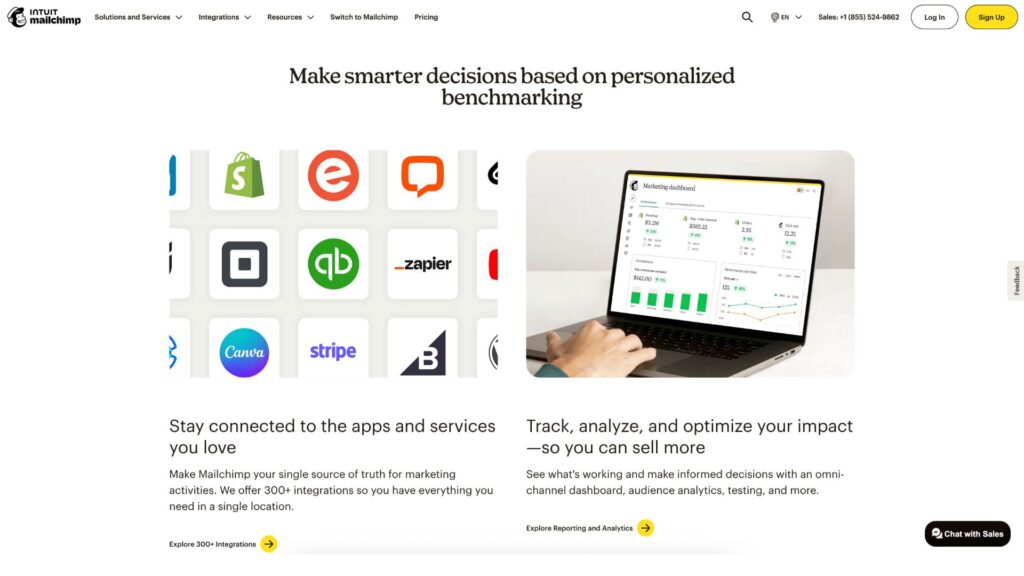
- Real-time dashboards showing opens, clicks, and revenue.
- Comparative reporting across campaigns and timeframes.
- Click maps and send-time insights to maximize performance.
Ecommerce & Website Tools
- Landing page builder and signup forms.
- Built-in ecommerce store for selling digital goods.
- Integrations with Shopify, WooCommerce, Magento, and others.
Creative Tools & AI
- Creative Assistant to generate images, copy, and layouts using AI.
- Content Studio for media management and storing brand assets.
- Personalized product recommendation blocks in email campaigns.
Integrations
- Over 300 app integrations, including Salesforce, WordPress, Zapier, Stripe, Square, and more.
- Extensible API for developers and CSV/CRM imports.
User Interface & Experience (UI/UX)
- Onboarding: Seamless setup with step‑by‑step guides for first-time users.
- Dashboard: Clean, intuitive and easy to navigate for both novices and seasoned marketers.
- Mobile App: Available on iOS and Android, allowing campaign management and tracking on the go.
- Accessibility: Strong focus on design clarity and readability, making it accessible for a variety of users.
Platforms Supported
| Platform | Supported |
|---|---|
| Web | ✅ |
| macOS/Windows | Browser-based only |
| iOS/Android | ✅ |
| Cloud-based | ✅ |
| Offline Access | ❌ |
Mailchimp operates entirely in the cloud—there’s no desktop installer, and offline functionality is limited.
Pricing
Mailchimp offers four main plans based on the number of contacts and features needed:
| Plan | Starting Price | Key Features |
|---|---|---|
| Free | $0 | Up to 500 contacts, 1,000 sends/month, branded footer |
| Essentials | $13/month | Basic templates, automation, support (email/chat) |
| Standard | $20/month | Advanced journeys, retargeting ads, behavioral automations |
| Premium | $350/month | Advanced segmentation, comparative reporting, phone support |
- Free Trial: 14-day Standard plan trial or tier-based trial available.
- Add-ons: SMS credits, extra send capacity, and transactional email (Mandrill).
- Pricing Layers: Costs increase quickly as contact lists grow—for example, Essentials rises to about $45 for 2,500 contacts.
Pros & Cons
Pros
- Free plan allows small operations to grow with reliable email basics.
- User-friendly interface and easy onboarding praised in many reviews.
- Rich automation features including customer journeys and behavior triggers.
- Extensive integrations with major ecommerce and marketing platforms.
- AI-assisted design simplifies campaign creation for non-designers.
Cons
- Pricing ramps up sharply as contacts increase—free plan limited to 500 contacts.
- Free plan includes Mailchimp branding, which may seem unprofessional to some businesses.
- Automation depth and customization still behind competitors like ActiveCampaign.
- Advanced analytics available only in Premium.
- Learning curve can feel steep with so many features—users cite a heavy UX.
Customer Support & Resources
- Support Channels:
- Free tier: Email support for 30 days .
- Essentials and Standard: 24/7 email/chat. Mailchimp Premium adds phone support.
- Help Center & Learning Hub: Extensive articles, guides, video tutorials, and certification courses in Mailchimp Academy.
- Community: Active user forums and webinars for peer learning.
- Onboarding Services: Personalized onboarding available for Standard and Premium users.
Real-World Use Cases / Ideal Users
- E-commerce owners: Automate abandoned carts and product recommendations, growing revenue.
- Marketing agencies: Manage multiple client accounts, track campaigns, and report performance.
- Freelancers & Bloggers: Build lead funnels using landing pages and email workflows.
- SMBs: Centralize multi-channel campaigns—email, social, and ads—in one platform.
User Reviews & Ratings
G2: 4.3/5 (12,700+ reviews)
Capterra: 4.5/5
Trustpilot: Mixed reviews—some users find it expensive, and support is inconsistent
Selected reviews:
“Mailchimp helped me grow from 0 to 5,000 subscribers in under a year. The drag‑and‑drop builder made it easy.” — Capterra reviewer
“Mailchimp is incredibly user‑friendly and intuitive… the analytics dashboard is also a standout.” — G2 reviewer Kenneth A.
“The price increase is a little steep… the free plan’s customer support is basically nonexistent.” — Lisa W. (EngageBay summary)
Best Alternatives
| Alternative | Ideal For | Strength vs Mailchimp |
|---|---|---|
| ActiveCampaign | Advanced automation + built-in CRM | Deep automations, sales pipelines |
| MailerLite | Budget-friendly for small email lists | Strong pricing with simpler feature set |
| Constant Contact | Nonprofits and event-focused organizations | Event features & community support |
| Moosend | Ecommerce-focused with automation | Simple UI with commerce tools |
| Klaviyo | Shopify stores aiming for high personalization | Ecommerce-centric AI & segmentation |
Mailchimp holds its ground on usability and features, but smaller businesses may find better value in MailerLite or Moosend, while ecommerce-heavy brands may prefer Klaviyo or ActiveCampaign.
Summary
Mailchimp remains a top-tier email and marketing automation tool tailored for small to midsize businesses. Its strengths—ease of use, robust feature set, ecommerce integrations, and AI design tools—make it a strong foundation for multi-channel marketing. However, its pricing can escalate quickly, and advanced analytics & customization are locked behind higher-priced tiers.
If you’re starting out or running a smaller-scale operation, the Free or Essentials plan offers solid value. For highly customized automation or CRM-level support, consider exploring alternatives like ActiveCampaign or Klaviyo.
Visit Mailchimp’s official site to test features or explore Usefully.site for comparison articles, resources, and related software reviews.
Media
Mailchimp Tutorial for Beginners
Mailchimp Made EASY: The Ultimate Beginner’s Tutorial! (2025)
Mailchimp In-depth Tutorial for Beginners 2025