Moz Review Features, Pricing, Pros & Cons
When it comes to SEO, clarity is everything. Marketers and website owners are constantly bombarded with data—rankings, keywords, backlinks, traffic drops—and navigating it all can be overwhelming without the right tools. That’s where Moz comes in.
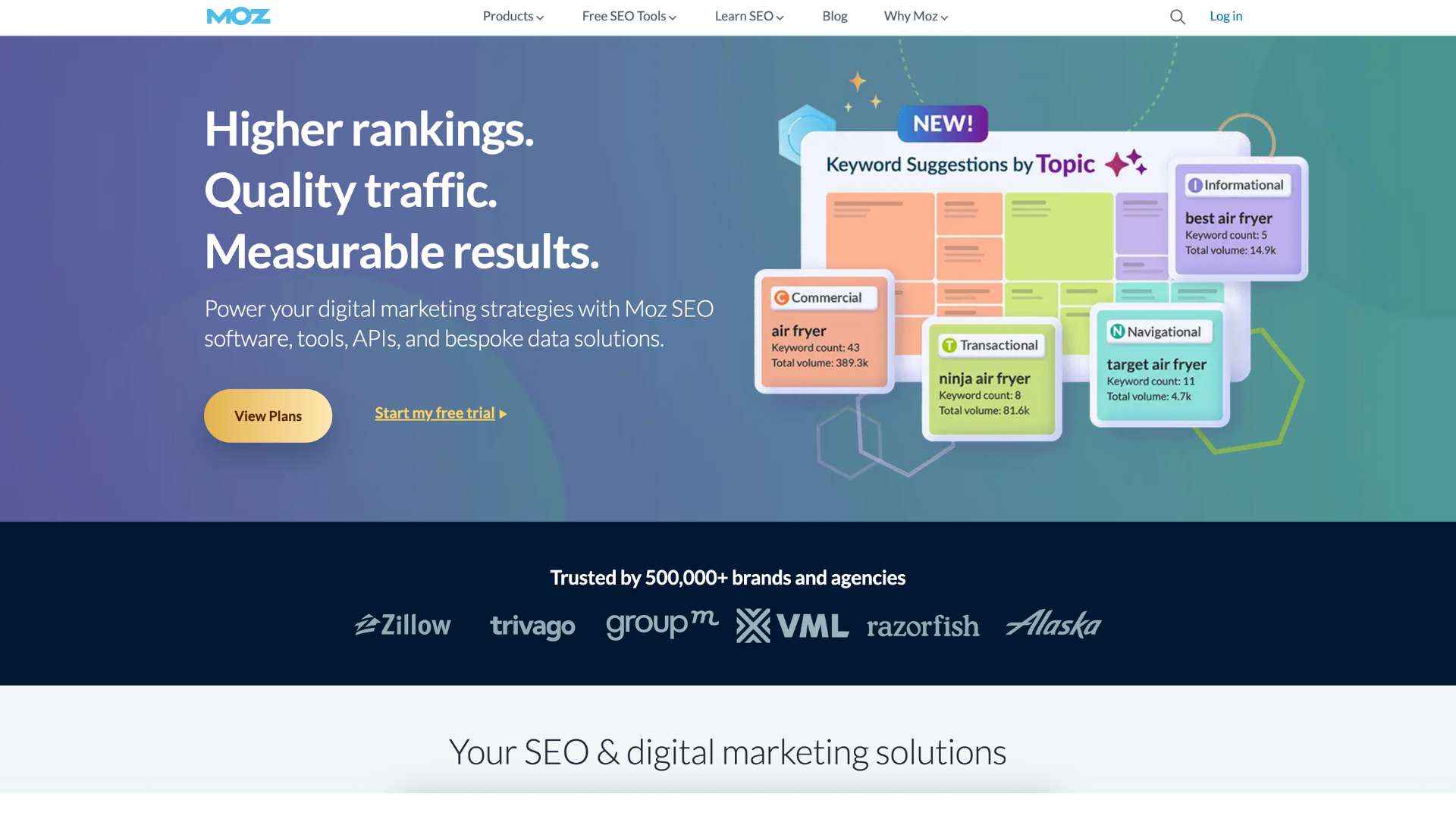
Moz is an all-in-one SEO software suite designed to simplify the complexity of search engine optimization. Whether you’re trying to increase your site’s visibility, monitor your competitors, perform keyword research, or audit technical issues, Moz offers a structured and intuitive platform to get the job done.
Moz is ideal for SEO professionals, marketing teams, agencies, bloggers, and business owners who want measurable improvements in their online visibility—without the steep learning curve some tools demand. Its blend of powerful features and beginner-friendly usability makes it a standout choice in the SEO world.
About Moz
Founded in 2004 by Rand Fishkin and Gillian Muessig as a humble SEO blog and consulting firm, Moz (originally called SEOmoz) quickly grew into a trusted voice in the digital marketing community. By 2007, it transitioned into a full-fledged software company, offering tools that marketers could use to manage and enhance their search engine optimization strategies.
The company is headquartered in Seattle, Washington, and currently has offices in London and New York. Over the years, Moz has seen shifts in leadership and direction—including Fishkin’s departure in 2018—but it has consistently stayed focused on delivering reliable SEO solutions. Today, Moz’s suite includes Moz Pro, Moz Local, MozBar, and API offerings used by thousands of companies and agencies around the world.
Their most iconic contribution to the SEO space? The Domain Authority (DA) metric—now an industry benchmark for assessing the strength of a website’s backlink profile.
Website: https://moz.com
Key Features of Moz
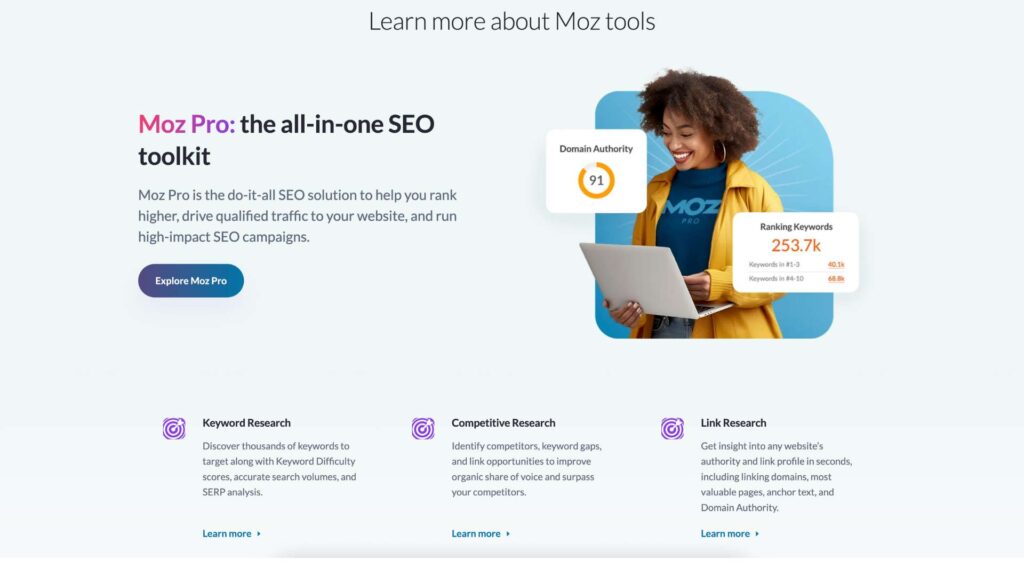
Keyword Research with Keyword Explorer
Moz’s Keyword Explorer tool gives you access to over 1.25 billion keywords, delivering search volume estimates, keyword difficulty scores, opportunity ratings, and SERP analysis. Users can find related suggestions, prioritize by click-through rate potential, and group keywords by topic.
Benefit: Saves time during content planning and gives strategic insights into high-impact keyword opportunities.
Domain Authority & Brand Metrics
Moz’s proprietary metrics—Domain Authority (DA) and the newer Brand Authority—rate a domain’s or brand’s SEO strength on a 1–100 scale. These scores are used industry-wide to estimate the likelihood of a site ranking in search results.
Benefit: Quickly benchmark your site against competitors and monitor SEO progress over time.
Rank Tracking
Moz offers reliable daily rank tracking for your keywords, so you can see how your SEO efforts are performing. Campaigns include detailed SERP features and local vs global rankings, with customizable reports.
Benefit: Provides insight into what’s working and what needs adjustment in your SEO strategy.
Site Audit & On-Page Optimization
With weekly crawls and detailed health scores, Moz Pro identifies critical issues affecting site performance—like broken links, redirect chains, thin content, duplicate meta tags, and slow-loading pages.
Benefit: Helps improve site health, which directly impacts search engine rankings.
Link Explorer
Moz’s Link Explorer is one of the largest backlink databases available. It lets users analyze inbound links, anchor text distribution, spam scores, domain linking patterns, and more.
Benefit: Helps users discover link-building opportunities and disavow harmful backlinks.
MozBar
The MozBar is a Chrome extension that delivers instant SEO metrics as you browse. Users can see DA/PA scores, follow/nofollow tags, and keyword suggestions directly on any webpage.
Benefit: Perfect for quick competitor checks and on-the-go SEO insights.
Custom Reports and Campaign Management
Moz lets you create structured campaigns to track keyword performance, site health, and backlinks per domain. Reports are automated and customizable, helping agencies and teams present clear results to clients.
Benefit: Streamlines reporting for internal teams and external stakeholders.
User Interface and Experience
Moz excels at making SEO accessible. The dashboard is logically structured with tabs for campaigns, keyword research, rankings, links, and site audits. It doesn’t overwhelm new users with jargon or complicated graphs.
The onboarding process includes walkthroughs, tutorials, and documentation to ease users into the platform. Even beginners can set up their first campaign within minutes. Navigation is intuitive, and each tool comes with contextual help to guide users in interpreting the data.
MozBar enhances the user experience by extending Moz’s capabilities right into your browser—making it easy to analyze pages as you search or browse competitors.
While mobile functionality is limited, the desktop web platform is responsive and can be accessed on tablets. Accessibility support is average, but core tools are keyboard- and screen reader-friendly.
Platforms Supported
- Web-based: Yes, accessible via browser
- Mobile app: No dedicated mobile app
- Browser extension: MozBar for Chrome
- Cloud-based: Yes
- Offline capability: No
Pricing
Moz offers a range of plans for individuals, small teams, and enterprises. Here’s how the pricing breaks down:
| Plan | Price/Month | Campaigns | Keyword Limits | User Seats | Best For |
|---|---|---|---|---|---|
| Standard | $99 | 3 | 300 keywords | 1 | Solo marketers, freelancers |
| Medium | $179 | 10 | 1,500 keywords | 2 | Small agencies, content teams |
| Large | $299 | 25 | 3,000 keywords | 3 | Mid-sized businesses, SEO teams |
| Premium | $599 | 50 | 4,500 keywords | 5 | Agencies with multiple clients |
- Free Trial: 7-day trial available for all plans
- Annual Discount: ~20% savings on annual billing
- Add-ons: API access, Moz Local subscription available separately
Pros and Cons
Pros
- Strong authority metrics: Domain and Brand Authority are industry benchmarks
- Beginner-friendly: Easy to navigate interface with helpful documentation
- Affordable entry tier: Starting at $99/month, great for small teams
- Large backlink index: Comprehensive data for link building and analysis
- On-demand rank tracking: Updated regularly and highly visual
- Chrome extension: Adds convenience with real-time metrics via MozBar
Cons
- Limited keyword database: Smaller than Ahrefs and Semrush
- No mobile app: Limited access when away from desktop
- Restricted reporting: Query limits can be hit quickly on lower tiers
- Basic traffic data: No estimated traffic like competitors provide
- UI feels dated in parts: Not as sleek as newer tools
Customer Support and Resources
Moz provides reliable customer support primarily via email and live chat. While there’s no phone support, their help center is extensive and well-organized, offering:
- Step-by-step guides
- Video tutorials
- Webinars
- Moz Academy (with free and paid courses)
- Active Q&A forums
The Moz Blog is also one of the most respected SEO blogs online, offering regular updates, industry insights, and expert strategies. This wealth of learning material makes Moz not only a tool but also an educational hub.
Real-World Use Cases
Agencies Managing Multiple Clients
Agencies love Moz for its campaign structure. With separate dashboards for each client and white-label reports, it’s easier to deliver results and maintain transparency.
Local Businesses Using Moz Local
Restaurants, salons, clinics, and franchises use Moz Local to manage online listings, correct citations, and improve local search visibility.
Solo Marketers and Freelancers
Moz’s affordability and user-friendly features make it ideal for independent consultants and freelance SEO specialists looking to streamline audits, track improvements, and build strategic content.
Content Marketing Teams
With access to keyword insights and link metrics, content marketers use Moz to align their editorial calendar with high-potential opportunities and ensure their work ranks well.
User Reviews and Ratings
Moz holds a strong reputation across review platforms:
- G2: 4.4/5 – Users praise ease of use and reporting capabilities
- Capterra: 4.5/5 – Noted for great support and trustworthy metrics
- TrustRadius: 8.6/10 – Strengths in link tracking and keyword discovery
A common theme in reviews is that Moz is extremely accessible for beginners, but more advanced users might supplement it with deeper tools like Ahrefs.
One user said:
“Moz is the perfect first SEO tool. It helped me get serious about SEO without being overwhelmed by complexity.”
Best Alternatives
| Tool | Best For | Strength Compared to Moz |
|---|---|---|
| Ahrefs | Advanced link building and research | Larger backlink database, faster index |
| Semrush | All-in-one SEO + content & PPC | More versatile, better traffic insights |
| SE Ranking | Budget-conscious all-in-one platform | Cheaper with decent features |
| Ubersuggest | Beginners and bloggers | Free or low-cost, simplified tools |
| Screaming Frog | Technical SEO audits | Desktop crawler, deeper technical data |
Moz strikes a balance between simplicity and power, but depending on your needs, pairing it with one of these tools can offer a more complete SEO stack.
Summary
Moz is a reliable and beginner-friendly SEO tool designed to make complex tasks easier. It brings together critical features—keyword research, link analysis, rank tracking, and site audits—under a clean interface and competitive pricing model.
Its strengths lie in brand authority metrics, accessible UX, and supportive educational content. However, more advanced users may find its database size and reporting limits less robust than tools like Semrush or Ahrefs.
If you’re a small business owner, content marketer, or agency looking to strengthen your SEO without getting lost in data, Moz is a smart choice. It’s especially powerful when paired with complementary tools to cover any gaps.
Curious if Moz is right for you? Start with the 7-day free trial at https://moz.com and explore its potential before you commit.
For more reviews and software comparisons, browse similar articles at usefully.site.
Media
How to Use MozBar for Instant SEO Insights | Quick 4-Minute Tutorial
How to Start a Free Trial of Moz Pro