Pinterest Review: Features, Pricing, Pros & Cons
Pinterest has evolved far beyond a place to save craft ideas or wedding inspiration. It’s now a powerful visual search engine and discovery platform used by creators, shoppers, marketers, and businesses alike.
With more than 460 million monthly active users, Pinterest combines visual inspiration with product discovery, shopping, and digital strategy in a way that few other platforms manage.
Pinterest allows users to save content they love as “Pins” to themed “Boards,” turning it into a visual bookmarking tool. But beneath this simplicity lies a platform filled with marketing tools, trend analytics, content scheduling features, shopping integrations, and collaborative creativity—all essential for brands and creators trying to reach an inspired and purchase-ready audience.
In this in-depth Pinterest review, we’ll explore its key features, design quality, pricing structure, pros and cons, and real-world use cases to help you determine if it’s the right platform to grow your brand or curate your creativity.
Company Background
Pinterest was founded in 2009 by Ben Silbermann, Paul Sciarra, and Evan Sharp. Originally launched as a closed beta, the platform took off as users began sharing inspiration for weddings, homes, fashion, and food. Headquartered in San Francisco, Pinterest steadily expanded its global footprint, going public in April 2019 under the ticker symbol PINS.
Today, the company is led by CEO Bill Ready, with co-founder Ben Silbermann serving as Executive Chairman. Pinterest continues to innovate through acquisitions like The Yes (a shopping platform), Vochi (a video editing app), and the experimental Shuffles collage app.
Its mission? To bring everyone the inspiration to create a life they love.
Website: https://www.pinterest.com
Key Features
Pinterest offers a range of features grouped into discovery, content management, business tools, and collaboration.
Visual Discovery Tools
| Feature | Description |
|---|---|
| Pinterest Lens | Use your phone camera to visually search for products, recipes, outfits, and more. |
| Shop the Look | Tags items in an image that are available for purchase. |
| Instant Ideas | Tap on a pin to see more visually similar content in real-time. |
These tools allow users to search not by typing, but by seeing—ideal for discovering items you didn’t know how to describe.
Boards and Pins Management
| Feature | Description |
|---|---|
| Boards & Sections | Organize pins into themed boards with subcategories. |
| Idea Pins | Multi-page pins that mix video, images, text, and links. |
| Rich Pins | Enhanced pins that pull metadata from your website (product info, recipes, articles). |
| Video Pins | Great for tutorials, product walkthroughs, or DIY projects. |
These features give users fine-grained control over how they organize and showcase their interests or brand content.
E-Commerce and Business Tools
| Feature | Description |
|---|---|
| Pinterest Business Account | Access analytics, ad tools, and e-commerce integrations. |
| Catalog Upload | Import product data to create shoppable pins. |
| Promoted Pins | Paid ads that blend seamlessly with organic content. |
| Pinterest Tag | Track conversions and retarget audiences. |
For e-commerce brands, Pinterest offers one of the most shopping-friendly ecosystems in social media, integrating inspiration with purchase intent.
Analytics and Reporting
Pinterest’s native analytics provide:
- Audience insights: gender, location, interests
- Performance metrics: impressions, saves, clicks
- Pin stats: engagement, outbound link clicks
- Trends tool: monitor rising search terms and seasonal popularity
Marketers can adjust strategy with precision thanks to Pinterest’s data-driven tools.
Community and Collaboration
- Group Boards: Collaborate with others to pin on shared themes.
- Comments & Reactions: Lightweight engagement without the noise of traditional social media.
- Creator Rewards & Fund: Pinterest actively supports original content through creator grants and campaigns.
User Interface and Experience (UI/UX)
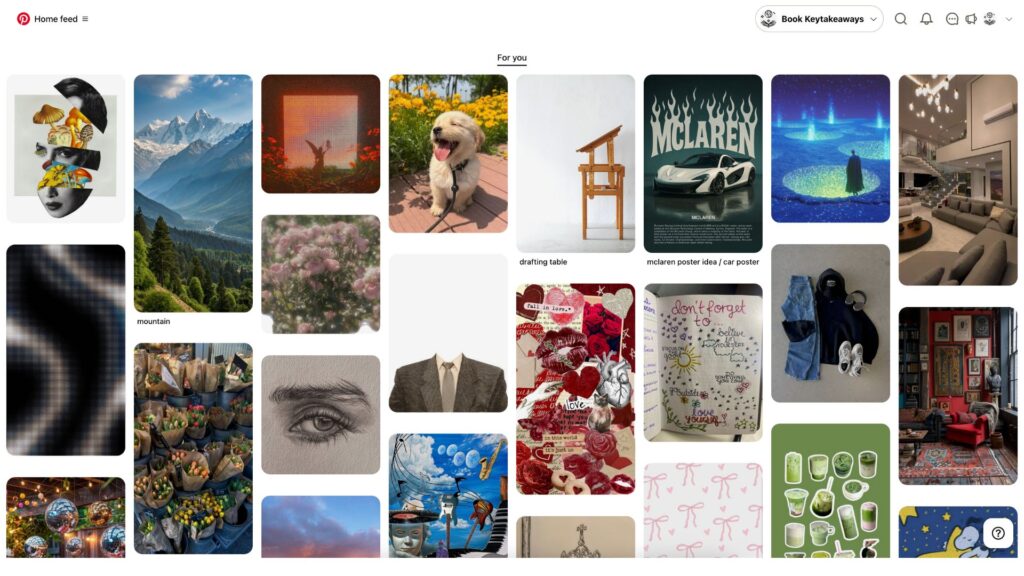
Pinterest’s interface is one of its strongest assets. The clean, grid-based layout puts imagery front and center with minimal distractions. Navigation is intuitive, with smart filters, smooth scrolling, and responsive menus.
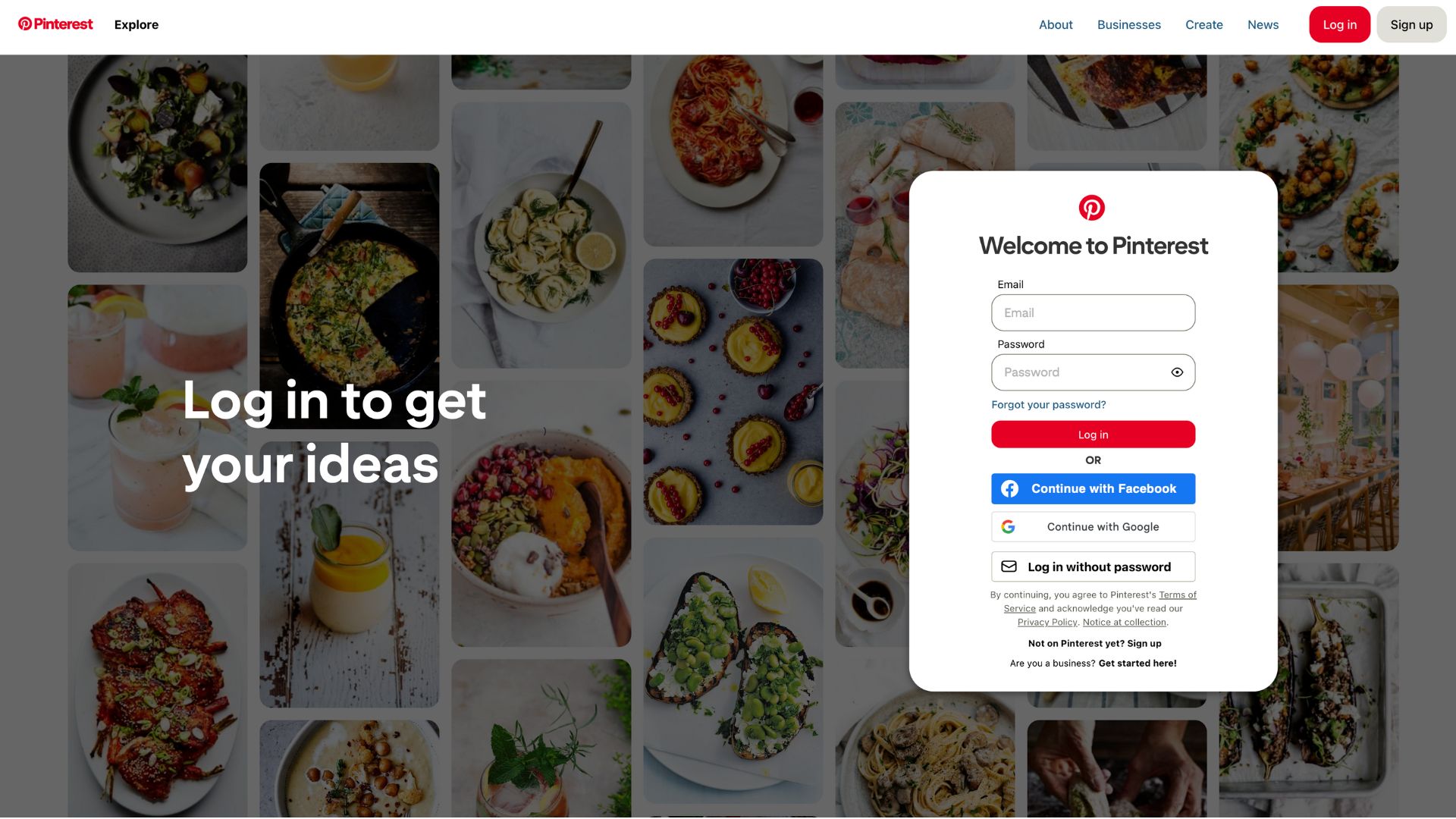
Onboarding is streamlined: users are asked for interests upon signup, which immediately populates a personalized feed. Saving content is as simple as one click.
Both desktop and mobile versions maintain visual consistency. The mobile app is especially powerful, with Pinterest Lens built into the camera and a fast, fluid experience ideal for discovery on the go.
Overall, Pinterest’s design remains calm, inspiring, and free from the algorithmic anxiety of other social platforms.
Platforms Supported
| Platform | Support |
|---|---|
| Web (browser-based) | Yes |
| Android | Yes |
| iOS | Yes |
| Windows App | Limited (web recommended) |
| Offline Use | No (cloud-native) |
Pinterest is accessible via all major browsers and mobile devices. The mobile app is updated frequently and offers nearly full functionality, including content creation, scheduling, and analytics.
Pricing
Pinterest is primarily a free platform. You can:
- Use all core features at no cost
- Set up a Business Account for free
- Access analytics and content creation tools without charge
Paid Features come into play only if you use Pinterest Ads.
| Plan | Price | Includes |
|---|---|---|
| Free | $0 | All standard user features, boards, pins, scheduling |
| Business Account | $0 | Analytics, ad management, Rich Pins, catalog upload |
| Promoted Pins (Ads) | Pay-as-you-go | Custom budget for reach, engagement, traffic, sales |
There’s no monthly subscription. Brands can run campaigns with as little as $5 a day, and pricing depends on bidding models and competition.
Pros and Cons
Pros
- Exceptional Visual Search: Pinterest’s Lens and visual tools are unmatched in product discovery.
- Clean, Focused UI: Designed to reduce noise and promote inspiration over interaction.
- Effective for Shopping: Product pins, catalogs, and native e-commerce features drive conversions.
Cons
- Limited Offline Functionality: Entirely cloud-based with no offline viewing or saving.
- Ad Setup Can Be Complex: Pinterest Ads Manager may feel overwhelming for newcomers.
- Algorithmic Bubbles: Repetitive recommendations can limit fresh content discovery without manual effort.
Customer Support and Resources
Pinterest offers a Help Center covering:
- Technical issues
- Business and ads tutorials
- Content creation guides
There’s also:
- Email ticketing support
- Developer documentation and API reference
- Business Resource Hub
- Creator-focused initiatives like the Creator Fund and Shuffles app
However, there’s no live chat or phone support, which can be a drawback for enterprise users.
Real-World Use Cases
E-commerce Brands:
Small businesses use Pinterest to drive qualified traffic through shoppable pins, seasonal trend boards, and Promoted Pins. A fashion brand, for instance, can upload a catalog and tag each item visually in lifestyle images.
Content Creators & Influencers:
From recipe bloggers to interior designers, Pinterest allows creators to share Idea Pins, link to their blogs, and build a dedicated following through visually-rich storytelling.
DIY & Inspiration Seekers:
Homeowners use Pinterest for renovation plans. Teachers pin lesson ideas. Couples save wedding looks. Users don’t just scroll—they act.
Marketing Agencies:
Digital agencies leverage Pinterest analytics to study audience behavior and guide client campaigns, especially for niches like home décor, fashion, and wellness.
User Reviews and Ratings
Across software review platforms:
- G2: 4.5/5 – Users love its design and usability, though some want better business analytics.
- Capterra: 4.7/5 – Highly rated for inspiration and content curation.
- Trustpilot: Mixed – Praise for content ideas, occasional criticism for irrelevant ads.
User Quote:
“Pinterest is the only platform where people come with a purpose—it’s not doomscrolling, it’s dream building.” — Verified Capterra user
Best Alternatives
| Software | Best For | Comparison |
|---|---|---|
| Social interaction & influencer content | More engagement, less organization | |
| Canva | Designing Pinterest content | Not for publishing but excellent for content creation |
| Etsy | Selling handmade products | Built-in marketplace, less discovery |
| Houzz | Home remodeling ideas | Niche, not general inspiration |
| Tumblr | Visual blogging | More text-based and community-driven |
Pinterest holds its own due to its discovery engine and shopping tools, but these tools complement specific use cases.
Summary
Pinterest is a visually immersive, commerce-enabled platform that straddles the line between inspiration and action. With powerful features like visual search, Idea Pins, business analytics, and product tagging, it is an ideal choice for:
- Creators wanting to share visual ideas
- Small businesses looking to drive product discovery
- Marketers seeking trend data and qualified leads
It’s not just a mood board anymore—it’s a strategic tool.
If you’re in the creative space, running a product business, or want to leverage audience intent in a non-disruptive way, Pinterest is worth your time. Try it today at www.pinterest.com, and explore how to pin your ideas into actions.
For more reviews and in-depth comparisons, browse through usefully.site and explore the best software tools for your creative workflow.
Media
2025 Pinterest marketing Strategy | How to Grow on Pinterest in 2025
Pinterest Marketing Content Strategy for 2025