Snapchat Review: Features, Pricing, Pros & Cons
Snapchat is one of the most unique and widely-used multimedia messaging platforms in the world, offering a playful, ephemeral approach to digital communication.
Unlike traditional messaging apps, Snapchat is centered around short-lived visual content—Snaps—that disappear after viewing. Combined with quirky filters, lenses, and AR capabilities, it redefined how millions interact online.
But Snapchat isn’t just about disappearing messages. It has evolved into a full-fledged creative ecosystem—complete with original shows, location-based tools, social games, and even AI integration. It caters to a generation that wants instant, visual communication without the permanence of likes or comments.
So, who is it really for? Snapchat thrives among Gen Z, millennials, digital creators, and users who want low-pressure, high-creativity interaction. If you value spontaneity and visual expression over polished perfection, Snapchat delivers.
Company Background
Snapchat was launched in 2011 by Stanford University students Evan Spiegel, Reggie Brown, and Bobby Murphy. What started as a simple app called “Picaboo”—built around sending disappearing photos—quickly snowballed into a global tech phenomenon. Within a year, the app rebranded to Snapchat and gained rapid traction, especially among younger audiences.
Headquartered in Santa Monica, California, the parent company Snap Inc. went public in 2017. Today, Snap Inc. employs thousands globally and continues to invest in augmented reality (AR), machine learning, and wearable tech like Spectacles. Its ambitious vision of reinventing the camera as a communication tool has shaped the app’s evolution and cultural impact.
Snapchat’s journey is filled with pivots and bold innovation: launching Stories (a concept later adopted by nearly every social platform), creating Bitmoji, building a robust AR lens studio, and releasing AI-powered chatbots. Despite fierce competition, Snapchat has carved a space that feels uniquely its own.
Official website: www.snapchat.com
Key Features
Core Messaging
- Snaps: Users can send photos or short videos that self-destruct after viewing, offering a more spontaneous and less archived form of communication.
- Chat & Video Call: Send texts, stickers, voice notes, or video chat with up to 15 friends at once.
- Voice & Audio Notes: Audio Snaps offer a hands-free alternative for storytelling.
Stories & Discover
- Stories: Users can post images or videos to their Story, viewable for 24 hours by friends.
- Discover: Snapchat’s content hub features curated content from publishers, creators, and celebrities, offering everything from entertainment to news.
- Spotlight: A TikTok-style vertical video feed showcasing user-generated content based on engagement and algorithmic recommendations.
Memories & Privacy
- Memories: A private archive of saved Snaps and Stories. You can revisit, edit, and reshare them anytime.
- My Eyes Only: A secure, PIN-protected vault for sensitive Snaps that you don’t want others to see.
Augmented Reality & Lenses
- Lenses & Filters: From face-changing effects to immersive 3D overlays, Snapchat’s AR Lenses are a signature feature. Users can create their own using Lens Studio.
- World Lenses: These add interactive AR elements to the world around you, usable through the rear-facing camera.
- Bitmoji Integration: Personalized avatars that sync with Snaps, chats, and even Stories.
- Lens Explorer & Lens Plus: A subscription tier offering access to exclusive AR experiences and tools.
Snap Map & Location Tools
- Snap Map: View where friends are, explore local content, and discover hot events or locations.
- Ghost Mode: Allows users to disable location sharing while still viewing the map.
Mini-Apps, Games & AI
- Minis: Lightweight third-party apps inside Snapchat for functions like meditation, polls, and scheduling.
- Games: Multiplayer, social games you can play inside chats.
- My AI: An AI chatbot powered by OpenAI’s GPT technology—available to all users with enhanced features for subscribers.
Snap Kit & Integrations
- Login Kit: Use Snapchat to sign into third-party apps securely.
- Creative Kit: Share stickers, filters, and other media from external apps into Snapchat.
- Story Kit: Developers can integrate public Stories into their platforms.
User Interface and Experience
Snapchat’s UI is famously unconventional. It relies heavily on gesture-based navigation—swiping left to chat, right to Discover, and up for Memories. This design offers a fluid experience but can be confusing for first-time users.
The onboarding process is reasonably simple, especially with recent improvements, and users are encouraged to add friends, personalize their Bitmoji, and explore Lenses early on.
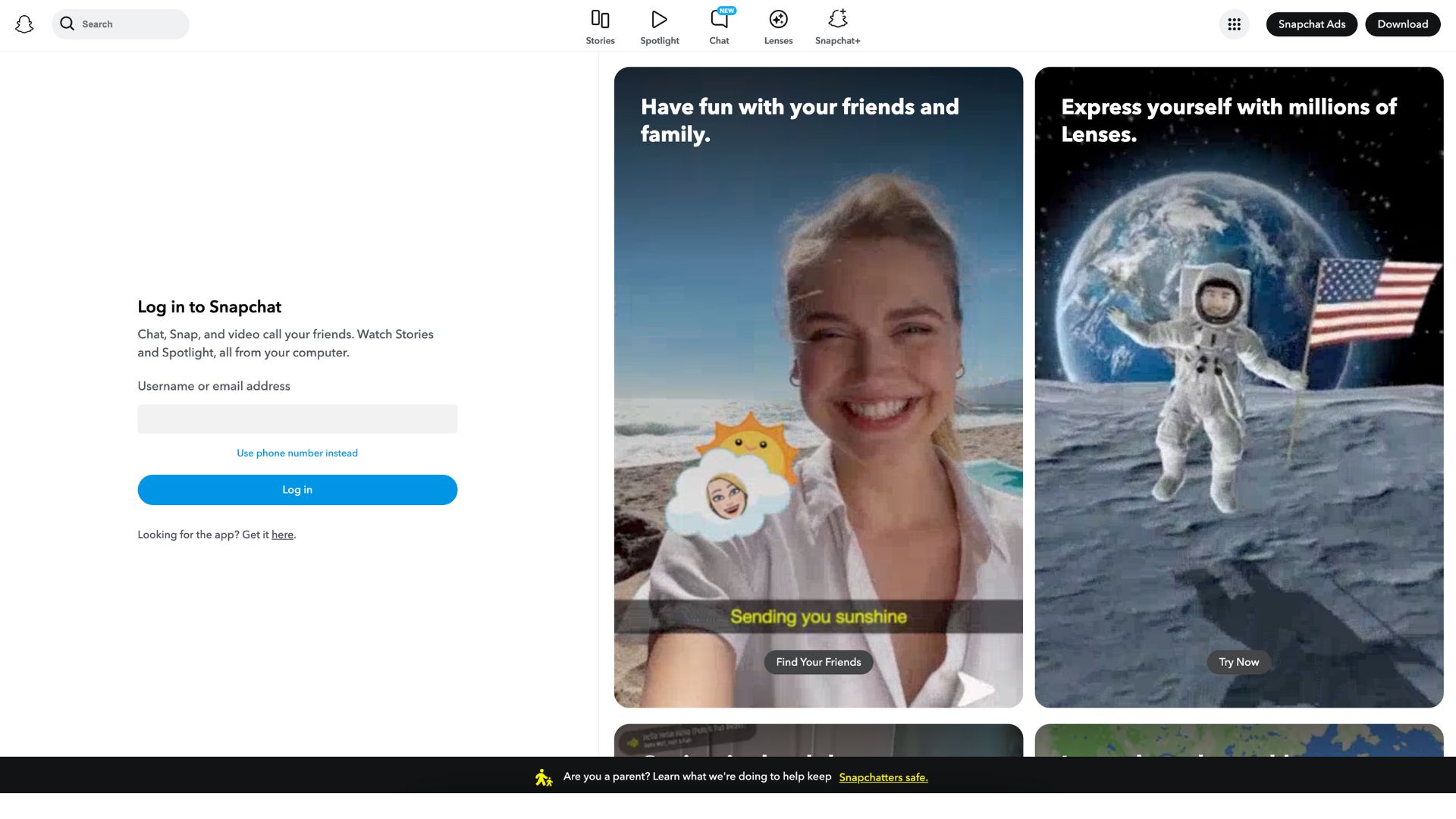
The mobile-first philosophy dominates Snapchat’s interface. While a web version exists, it offers limited features compared to the iOS and Android apps. There’s no standalone desktop app, and offline capabilities are minimal—most features require active internet access.
Platforms Supported
| Platform | Availability |
|---|---|
| iOS | Yes |
| Android | Yes |
| Web | Limited |
| watchOS | Yes (basic notifications) |
| AR Glasses (Spectacles) | In development/testing phase |
Snapchat is optimized for mobile use and is not designed for extensive desktop browsing or interaction.
Pricing
Snapchat remains free to download and use, but it has introduced premium tiers for power users and AR fans.
Available Plans
| Plan | Price | Features |
|---|---|---|
| Free | $0 | All core features: Snaps, Stories, Discover, Chat |
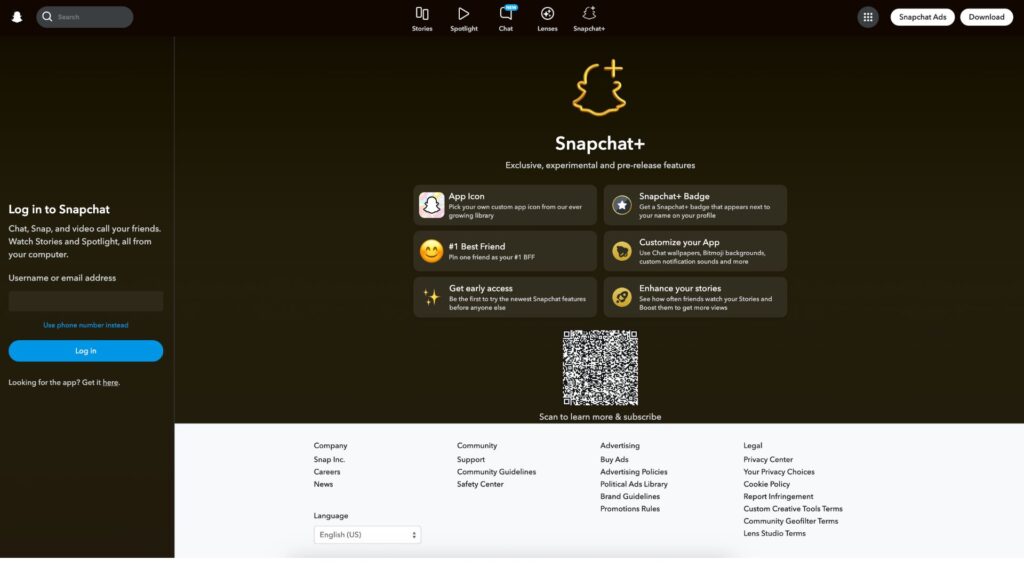
| Snapchat+ | $3.99/mo, $21.99/6 mo, $39.99/year | Pin friends, story rewatch counts, chat wallpapers, custom icons, early feature access |
| Lens Plus | $8.99/month | Exclusive AR Lenses, Lens storage, creation tools |
Snapchat+ includes a 7-day free trial and is geared toward users who want customization and early access. Lens Plus is designed for AR creators and fans.
Pros and Cons
Pros
- Fun and innovative AR features: Snapchat continues to lead in AR creativity with filters, lenses, and Bitmoji avatars.
- Spontaneous, low-pressure communication: Disappearing Snaps allow for real-time, casual interactions.
- Exclusive tools for creators: Lens Studio and Snap Kit enable interactive, developer-friendly customization.
Cons
- Confusing interface for new users: Swiping navigation isn’t intuitive at first and may frustrate those used to traditional layouts.
- Heavy battery and data usage: AR features and video content quickly consume power and data.
- Privacy concerns: Location-sharing features and past security lapses have raised red flags for some users.
Customer Support and Resources
Snapchat provides robust self-help through its Support Center, which includes FAQs, step-by-step tutorials, and troubleshooting articles.
Customer support is available via:
- Help Articles
- In-app Feedback
- Email Support (for Plus subscribers)
There’s no 24/7 live chat, but the quality of documentation and speed of issue resolution has improved significantly in recent years.
Real-World Use Cases / Ideal Users
Snapchat is popular among:
- Teens & college students: Quick Snaps, group chats, and Stories make Snapchat the go-to app for peer-to-peer communication.
- Digital creators & influencers: AR tools and public Spotlights allow creators to showcase visual content in an engaging format.
- Marketers & brands: Businesses use geofilters and Snap Ads for event-based promotions, product launches, and storytelling campaigns, especially to target Gen Z.
For entrepreneurs and freelancers, Snapchat offers a way to build community through fun, unfiltered updates, behind-the-scenes content, and even limited ad campaigns.
User Reviews and Ratings
Snapchat enjoys mixed to positive reviews across major platforms:
- G2: 4.1/5
Praise for AR features and speed; complaints about confusing UI and excessive notifications. - Capterra: 4.2/5
Users appreciate visual appeal and story sharing, but voice quality and interface changes can be frustrating. - Trustpilot: 3.8/5
A mix of enthusiastic users and those concerned about account security or support responsiveness.
Sample User Quote
“Snapchat is my daily go-to for sending quick updates to friends. The filters are hilarious and I love the privacy it gives me compared to other apps.” – Jenna T., college student
Best Alternatives
| Tool | Best For | Comparison |
|---|---|---|
| Broader reach, static content | More polished but less private | |
| TikTok | Viral short-form video | Better discovery, less direct messaging |
| Messaging & video calls | More practical, less playful | |
| Marco Polo | Video walkie-talkie style | Focused on longer videos with family/friends |
| BeReal | Authentic, time-based photos | More niche and minimalist |
Snapchat stands out for creative spontaneity, while alternatives lean more toward discoverability, permanence, or utility.
Summary
Snapchat remains one of the most dynamic and unconventional messaging platforms available today. It blends ephemeral communication with cutting-edge AR features, making it ideal for users who prioritize fun, creativity, and privacy.
While the app has its downsides—like a steep learning curve and high resource usage—its unique take on storytelling and visual messaging makes it irreplaceable for many.
Snapchat is perfect for those looking to connect visually, experiment with AR, and engage without the pressure of likes and public comments. If that sounds like your vibe, head to snapchat.com and start Snapping.
If you’re comparing Snapchat to other communication and content platforms, make sure to explore other reviews on usefully.site for in-depth insights and head-to-head comparisons.
Media
How To Use Snapchat! (Complete Beginners Guide) (2025)
BEGINNERS GUIDE TO SNAPCHAT 2025 | Quick Snapchat Guide for Beginners