Simplenote Review Features, Pricing, Pros & Cons
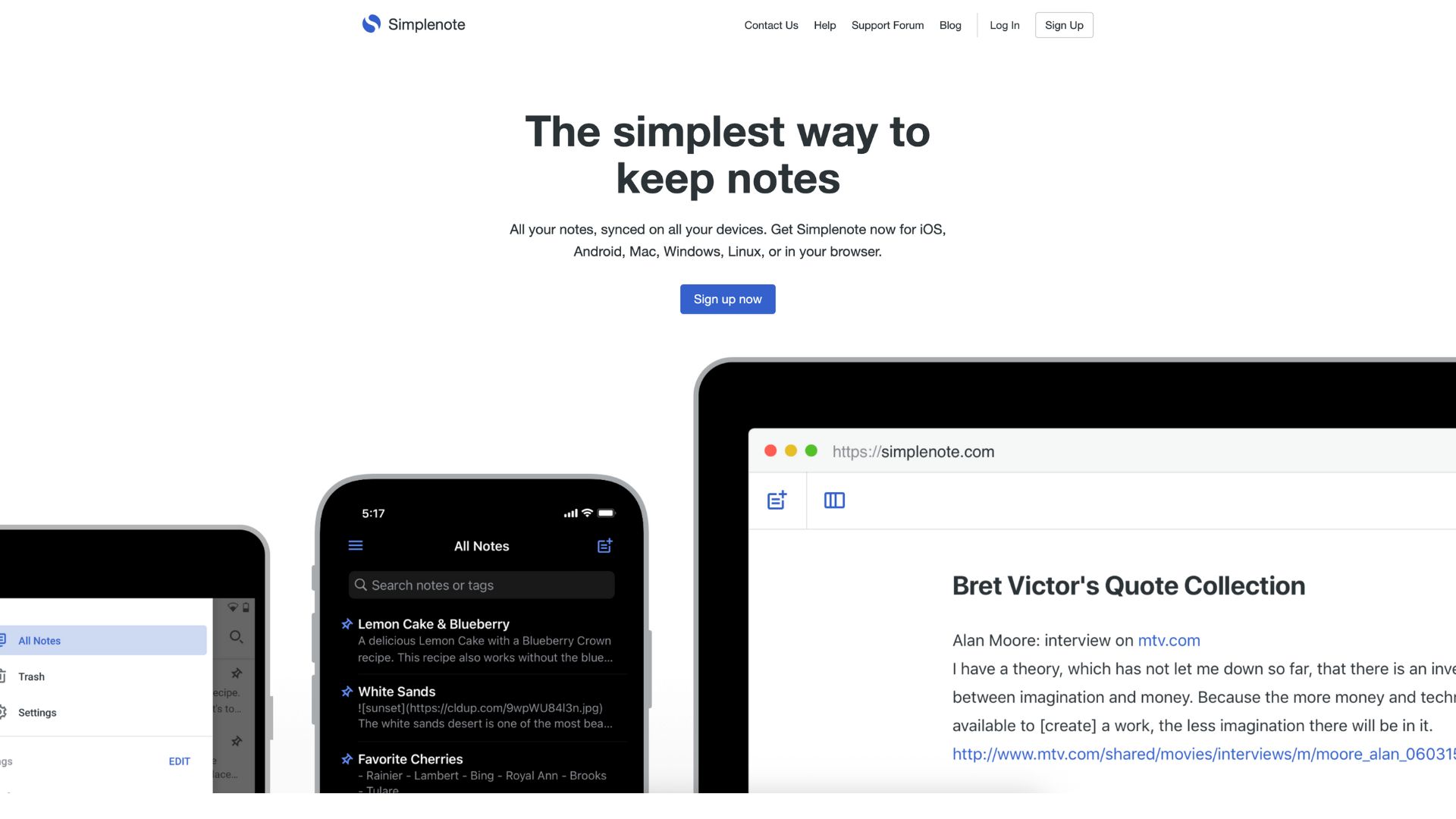
Simplenote is exactly what the name suggests—a beautifully simple note-taking app. Developed by the makers of WordPress.com, this free tool is designed for anyone who values clarity, speed, and efficiency over flashy design and bloated features. If you’ve ever felt overwhelmed by the heavy interfaces of Evernote or OneNote, Simplenote offers a refreshing return to the basics.
At its core, Simplenote helps users quickly jot down ideas, organize their thoughts with tags, and sync their notes seamlessly across devices. Its emphasis on text-only notes and clean layout makes it especially appealing to writers, students, journalists, and productivity seekers who want a distraction-free workspace.
But can a “simple” note-taking app hold up in a world of feature-packed competitors? That’s what this deep-dive review is here to explore.
Company Background
Simplenote was originally developed in 2008 by Simperium, a San Francisco-based company focused on syncing software. In 2013, it caught the attention of Automattic—the company behind WordPress.com, WooCommerce, Jetpack, and other open web tools—which acquired both Simperium and Simplenote to expand its product suite.
Automattic has since maintained Simplenote as a free, cross-platform, open-source project. Its clean design and commitment to simplicity have earned it a cult following among users who prefer function over flash. While it once had a premium tier, Automattic eventually removed all paid features, embracing a completely free, donation-supported model.
Website: https://simplenote.com
Key Features
Writing & Sync
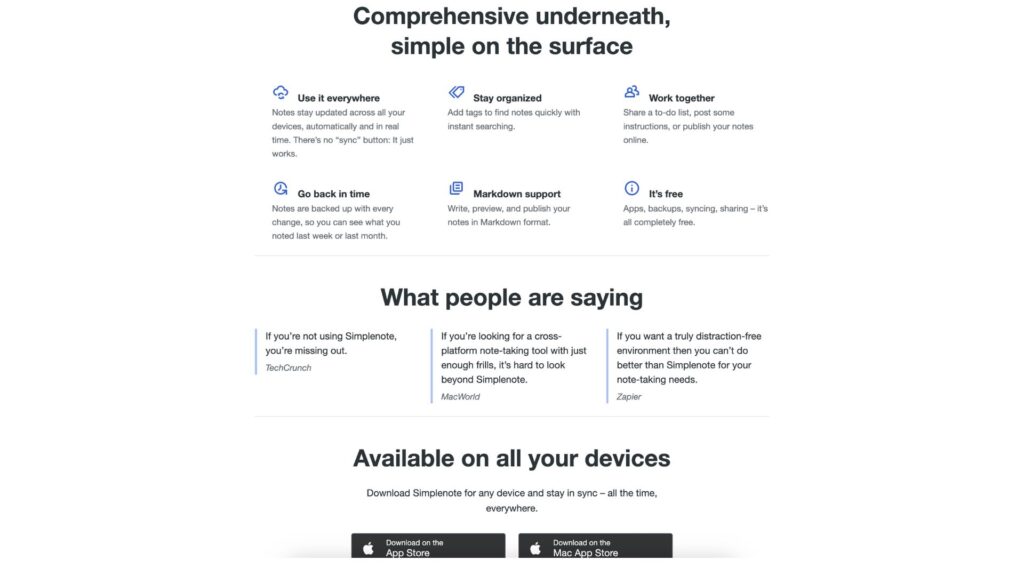
- Markdown Support: Toggle Markdown to format notes using headers, bullets, links, and emphasis without ever leaving your keyboard.
- Instant Syncing: Notes sync across all devices in real-time—whether you’re typing on your phone, tablet, or desktop, updates appear instantly.
- Offline Access: Work offline and your notes will sync automatically when a connection returns.
Organization Tools
- Tags Instead of Folders: Add tags to organize and group notes. Unlike folder-based apps, Simplenote’s tag system lets a single note belong to multiple categories.
- Powerful Search: Fast full-text search allows you to find what you’re looking for even if you have hundreds of notes.
- Note History (Rewind): Every note has a time slider that lets you “rewind” and recover past versions in case you accidentally delete or overwrite content.
Sharing & Collaboration
- Collaborative Editing: Invite others to edit your notes in real time—perfect for brainstorming, writing, or managing lists with others.
- Publish Notes to Web: You can turn any note into a public webpage and share the link—ideal for quick information sharing without exporting or creating documents.
Open Source & Transparency
- Open Source Clients: Simplenote is available on GitHub, allowing developers to review or even modify the code. This commitment to transparency is rare and appreciated.
Simplicity & Focus
- Distraction-Free Writing: There’s no clutter. Just you and your text. This makes Simplenote an ideal canvas for thoughts, drafts, and outlines.
- Lightweight: The app is fast and responsive, even on older devices.
User Interface & Experience (UI/UX)
Simplenote’s interface is minimalistic in the best possible way. The moment you open the app, you’re greeted with a two-panel view: a list of notes on the left and the content of the selected note on the right. No unnecessary pop-ups, no ads, and no eye-sore themes. Just clean, readable text.
The onboarding is as straightforward as it gets. After creating an account, you’re ready to take notes instantly. Each platform version—whether on Android, iOS, Windows, macOS, or Linux—carries a consistent, intuitive experience. The mobile app is especially well-designed for one-handed usage, making it ideal for jotting thoughts on the go.
One subtle but excellent feature is the ability to undo deleted notes via the Trash folder or version history—great for peace of mind.
However, users should note that Simplenote lacks rich media support. You can’t embed images, PDFs, or other attachments. For some, that’s a dealbreaker. For others, it’s a blessing.
Platforms Supported
Simplenote is impressively versatile in terms of platform support:
| Platform | Availability | Notes |
|---|---|---|
| Web | Yes | Full functionality in browser |
| Windows | Yes (App) | Downloadable from website |
| macOS | Yes (App) | Native support |
| Linux | Yes (App) | .deb and .AppImage packages |
| iOS | Yes | Available on App Store |
| Android | Yes | Available on Play Store |
All versions sync via cloud and require an account. There’s no local-only mode, so you must be comfortable storing data online.
Pricing
One of Simplenote’s most compelling aspects is its cost: it’s completely free.
| Plan | Price | Features |
|---|---|---|
| Free | $0/month | Unlimited notes, sync, tags, Markdown, history |
| Premium | Discontinued | Was removed after Automattic acquisition |
| Donations | Optional | Users can support the project voluntarily |
No paywalls. No ads. No in-app purchases. This positions Simplenote as a unicorn in a sea of subscription-based apps.
Pros and Cons
Pros
- Completely Free: No hidden costs or locked features.
- Cross-Platform Support: Seamless sync between web, mobile, and desktop.
- Minimal Interface: Focused and distraction-free writing environment.
- Version History: Recover previous edits easily.
- Open Source: Transparent and developer-friendly.
Cons
- No Attachments: Can’t upload images, audio, or files.
- No Rich Text: Formatting limited to Markdown only.
- No Folder Hierarchy: May frustrate users used to traditional folder-based organization.
- Privacy Limitations: No end-to-end encryption; notes are stored in the cloud.
- Occasional Sync Issues: Some users report rare but problematic sync delays.
Customer Support and Resources
Simplenote offers several support options:
- Help Center: Basic documentation and FAQs available on the website.
- Support Forum: Users can ask questions or troubleshoot issues with help from the community.
- Email Support: Limited, but available for account-related problems.
While support is not as robust as enterprise-level tools, the simplicity of Simplenote minimizes the need for hand-holding. However, users facing critical issues like note loss may find the support options lacking.
Real-World Use Cases / Ideal Users
Writers & Journalists
Simplenote’s clean writing environment and Markdown support make it perfect for journalists drafting articles, writers working on outlines, and bloggers composing posts on the go. The publish-to-web feature is also great for quickly sharing drafts with editors or collaborators.
Students & Academics
College students and researchers will appreciate Simplenote for its quick note capture, powerful search, and syncing across devices. It’s ideal for class notes, to-do lists, and study outlines—especially when paired with tags for organization.
Productivity Enthusiasts
For GTD fans and bullet journal users, Simplenote serves as an efficient text-based task manager, especially when you want to avoid bloated task apps.
User Reviews and Ratings
G2 (4.2/5)
Users praise its speed, clean UI, and zero-cost structure. Many note its effectiveness for focused writing and idea capture.
“I’ve tried dozens of note apps and keep coming back to Simplenote. It just works, no fluff.” — G2 Review
Capterra (4.5/5)
Positive reviews highlight usability and cross-platform syncing. The biggest criticism is the lack of file support or rich formatting.
Reddit Feedback
Among Reddit users, Simplenote receives both praise and caution. Fans love the speed and simplicity, but detractors warn of rare syncing issues or deleted notes, advising regular exports for backup.
Best Alternatives
| Alternative | Best For | Key Differences |
|---|---|---|
| Standard Notes | Privacy-focused users | Offers end-to-end encryption, subscription required |
| Obsidian | Power users, knowledge base | Local storage, backlinks, plugins |
| Joplin | Open-source flexibility | Supports attachments, more complex UI |
| Bear | Apple ecosystem users | Beautiful UI, Markdown+ formatting |
| Evernote | Full-featured note-taking | Web clipping, attachments, limited free plan |
Summary
Simplenote lives up to its name. It’s a straightforward, fast, and elegant tool designed for people who want to take notes without distraction. With its generous free plan, open-source structure, and intuitive sync, it’s one of the best lightweight apps for text-based note-taking.
However, its simplicity comes with trade-offs: no attachments, no rich formatting beyond Markdown, and no folder support. If you need a tool for heavy-duty document storage or multimedia notes, look elsewhere. But if you’re a minimalist writer, student, or thinker who craves speed and focus, Simplenote might just be your new favorite app.
Try Simplenote today at https://simplenote.com
And for more software reviews like this one, browse usefully.site to compare the best tools for productivity, writing, and collaboration.
Media
Simplenote Note Taking App | Top 5 Things You’ll Want to Know