Adobe Photoshop Review Features, Pricing, Pros & Cons
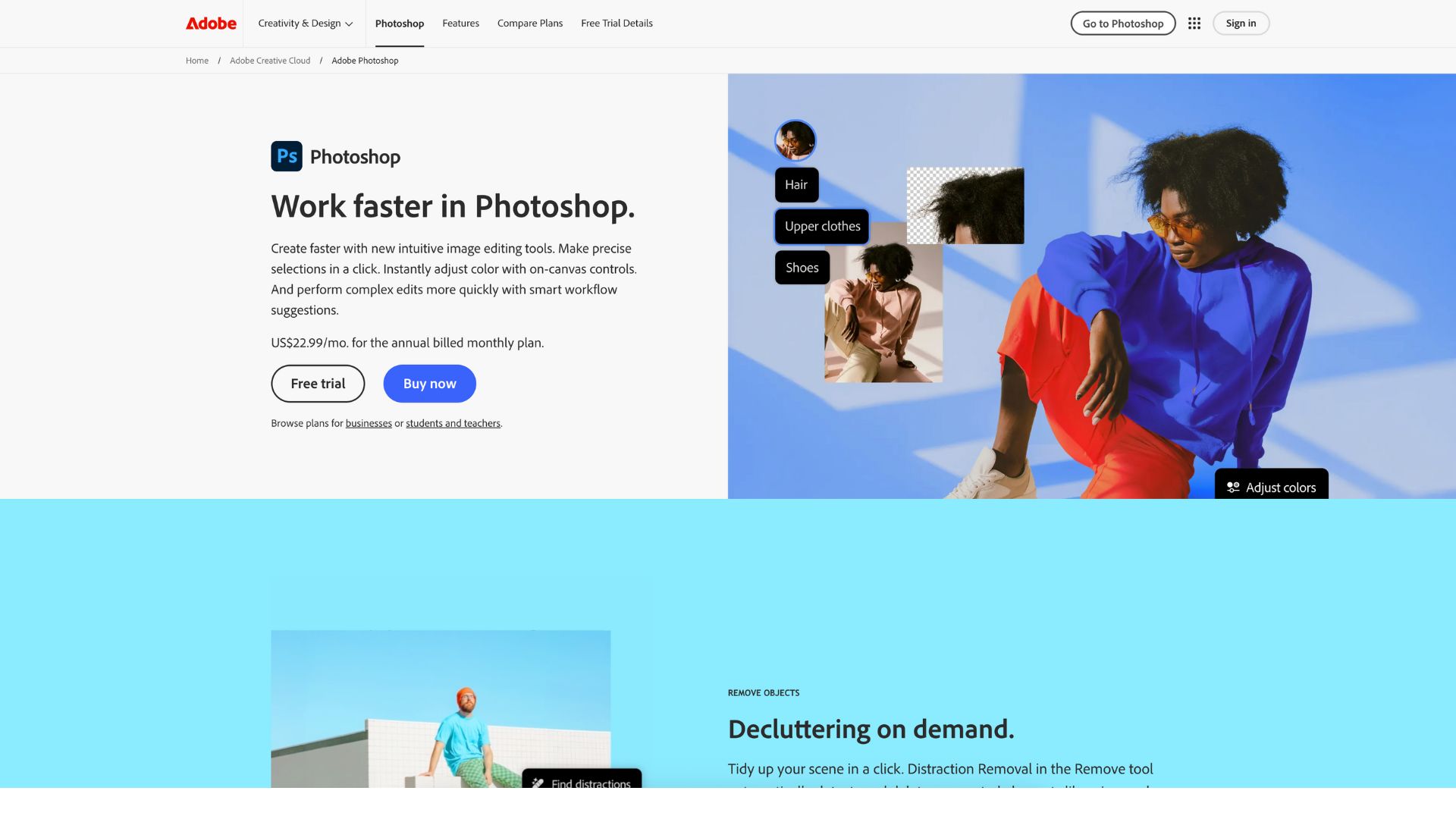
Adobe Photoshop isn’t just software—it’s a creative legacy. For over three decades, Photoshop has defined what’s possible in digital imagery. Whether you’re retouching wedding photos, crafting bold magazine layouts, designing UX wireframes, or conjuring fantasy landscapes from scratch, Photoshop offers the most complete toolkit to bring visuals to life.
Its real power lies in flexibility. You can work in layers, use masks for precision, automate tasks with AI, and share across platforms with Creative Cloud. It’s both a canvas for artists and a command center for professionals. And as visual content becomes more essential in every industry—marketing, education, e-commerce, entertainment—Photoshop has become a must-have.
If you’re a photographer, designer, digital artist, marketer, educator, or entrepreneur looking to make a visual impact, Adobe Photoshop is still the gold standard.
Company Background
Photoshop was originally created by Thomas and John Knoll in 1987 as a program called “Display.” Adobe saw its potential and released version 1.0 in 1990. That launch revolutionized how people worked with digital images, and the rest is creative history.
The parent company, Adobe Inc., was founded in 1982 and is based in San Jose, California. Over the years, Adobe has built a creative empire with products like Illustrator, Lightroom, Premiere Pro, and Acrobat. With the introduction of Creative Cloud in 2013, Adobe transitioned to a subscription model that offers regular updates, cloud syncing, and team collaboration.
Today, Photoshop is used by over 30 million creatives worldwide and continues to evolve with AI, web access, and mobile integration.
Official website: https://www.adobe.com/products/photoshop.html
Key Features
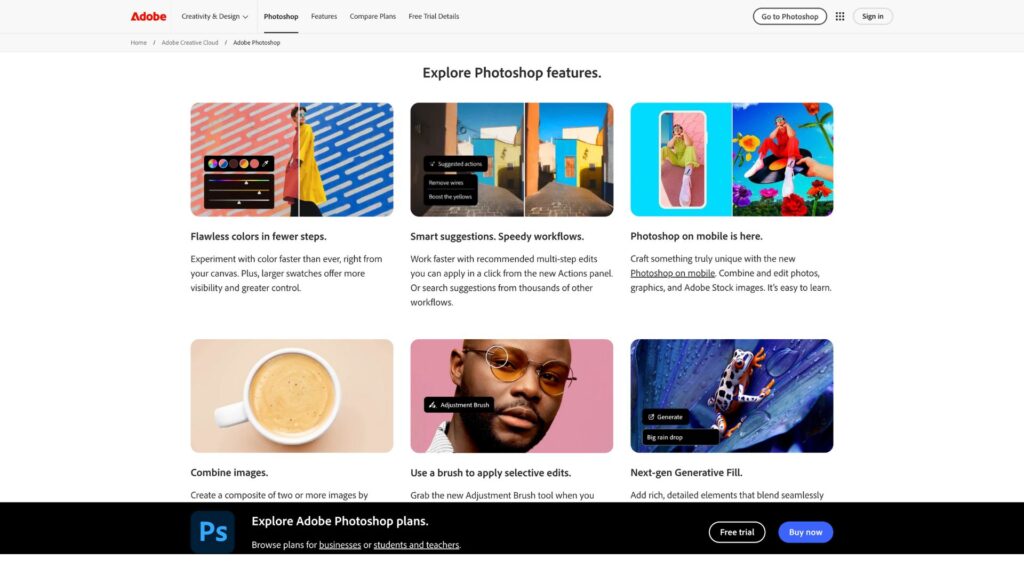
Photoshop packs an expansive feature set. Below are the highlights grouped by function.
Core Editing & Layer Management
- Non-destructive editing: Use Smart Objects and Adjustment Layers to preserve original content.
- Layers & masks: Stack, blend, and control every element with pixel-level precision.
- Custom brushes & drawing tools: Ideal for digital painting, comics, and stylized illustrations.
- History panel: Undo multiple steps easily, even in complex projects.
This combination gives creators full control over their workflow, without destructive edits.
AI Tools & Selections
- Adobe Sensei AI: Powers intelligent features like object selection, sky replacement, and auto-retouching.
- Select Subject & Select and Mask: Automatically detect people, animals, and complex edges.
- Remove Tool & Generative Expand: Instantly erase distractions or expand compositions with AI.
These features can cut editing time in half, while enhancing precision and detail.
Color & Retouching Controls
- Curves, Levels, and Gradient Maps: For intricate tonal corrections and color grading.
- Camera Raw Filter: Mimics Lightroom’s powerful RAW editing tools inside Photoshop.
- On-canvas adjustments: Real-time color and exposure sliders save time and clicks.
Professionals love Photoshop’s unmatched color management tools for maintaining brand consistency and mood.
Generative AI
- Generative Fill: Type what you want—“add clouds,” “change shirt color”—and watch Photoshop do it.
- Generative Expand: Extend images naturally with realistic content.
- Reference Image Matching: Use your style inspiration to guide AI generation.
This makes Photoshop not just a design tool, but a creative collaborator.
Cloud & Collaboration
- Creative Cloud Libraries: Save brushes, colors, and assets across all Adobe apps.
- Cloud PSDs: Work across devices and collaborate in real-time.
- Cross-app integration: Photoshop works seamlessly with Illustrator, Lightroom, InDesign, and XD.
Remote teams, freelancers, and agencies all benefit from Adobe’s powerful ecosystem.
User Interface & Experience
Photoshop’s interface strikes a balance between flexibility and familiarity. The workspace is fully customizable: you can drag, hide, and pin panels to suit your style. Toolbars adapt based on your task, whether you’re masking portraits or blending layers for a movie poster.
AI-powered features are seamlessly built into the UI. Hover to preview selections, use tooltips for learning, or type natural-language prompts to trigger edits. For newcomers, the Learn panel includes step-by-step tutorials.
Photoshop also includes accessibility settings like high-contrast modes, screen reader support, and keyboard shortcuts that can be remapped. Onboarding is smooth, with Adobe offering both beginner and advanced tutorials through Adobe Learn and YouTube.
Platforms Supported
| Platform | OS | Features |
|---|---|---|
| Desktop | Windows, macOS | Full features, GPU recommended |
| Web | Chrome, Safari, Firefox | Basic editing, real-time collaboration |
| Mobile | iOS, Android (beta) | Layers, masking, AI tools on-the-go |
Offline work is supported on desktop and mobile. Files sync when internet is restored, ensuring work continues uninterrupted.
Pricing
Photoshop is part of Adobe’s Creative Cloud and is subscription-based. Here’s how the pricing breaks down:
| Plan | Monthly Price | Includes |
|---|---|---|
| Photoshop (Single App) | $22.99 | 100 GB cloud storage, full desktop/mobile/web access |
| Photography Plan | $19.99 | Photoshop, Lightroom, 1 TB cloud storage |
| Creative Cloud All Apps | $54.99 | 20+ apps including Illustrator, Premiere Pro |
| Mobile Premium | $7.99 | AI tools, layers, cloud sync on mobile/web |
| Teams & Enterprise | Starts at $37.99/user | Admin tools, collaboration features |
- Free trial: 7 days full access
- Refunds: 14-day money-back guarantee
- Generative credits: Basic plans include 25/month; premium includes up to 1,000/month
Pros and Cons
Pros
- Unmatched editing control and quality
- Robust AI tools that enhance speed and creativity
- Cross-platform editing via mobile and web
- Seamless integration with other Adobe products
- Consistent updates with cutting-edge features
Cons
- Steep learning curve for beginners
- Subscription model may not fit every budget
- Android app limited to portrait mode
- Heavy performance demands on older hardware
- Limited AI credits on entry-level plans
Customer Support & Learning Resources
Photoshop users get access to Adobe’s robust support ecosystem:
- Help Center: 24/7 live chat and ticketing
- Tutorials: Interactive guides built into the app
- Forums: Adobe Community, Behance, Reddit, and Discord groups
- Events: Adobe MAX, product webinars, and design challenges
New users will appreciate the personalized learning paths. Advanced users can dive into scripting, plug-in creation, and batch automation.
Real-World Use Cases
Photographers use Photoshop for retouching, compositing, and prepping images for print or digital portfolios.
Digital artists and illustrators use it for painting, inking, and building digital comics or concept art, thanks to custom brushes and stylus support.
Marketing teams craft branded social media graphics, email headers, and ad campaigns with fast AI edits and reusable templates.
Educators and students create infographics, diagrams, and visual course content—often accessing Photoshop through education pricing.
Small businesses and solopreneurs design everything from logos and flyers to product packaging—all in one place.
User Reviews & Ratings
Across major review sites, Photoshop continues to shine:
| Platform | Rating (Out of 5) | Comments |
|---|---|---|
| G2 | 4.6 | Industry standard, unmatched capabilities |
| Capterra | 4.8 | Ideal for professionals, overwhelming for new users |
| TrustRadius | 8.9/10 | High satisfaction, steep learning curve |
| Mixed | Loved for power, critiqued for pricing and Android UI |
“Photoshop is essential for every designer. Nothing else offers this level of control.” — G2
“It’s overkill for quick tasks, but nothing compares when you need real editing power.” — Reddit
Best Alternatives
| Alternative | Best For | Key Difference |
|---|---|---|
| Affinity Photo | Professionals on a budget | One-time cost, no subscription |
| Canva | Beginners & marketers | Template-based, browser-native |
| GIMP | Open-source fans, developers | Free, but less polished |
| Capture One | Studio photographers | Superior color grading tools |
| Procreate | Digital painters (iPad only) | Optimized for touch and Apple Pencil |
| Pixlr | Fast, web-based editing | Lightweight and free for casual use |
Summary
Photoshop remains the world’s most powerful image editing tool—for good reason. It offers layer-based precision, deep AI capabilities, and unmatched cross-platform flexibility. From pro photographers and designers to educators and entrepreneurs, anyone who creates visual content can benefit.
While it’s not the cheapest or simplest option, Photoshop delivers when you need full creative control. If you want your work to look professional, polished, and inspired, there’s still no better choice.
Start your free trial today or explore more design tools on Usefully.site to find the perfect fit for your creative journey.
Media
Photoshop 2025 Top 7 NEW Features & Updates Explained!
Learn Adobe Photoshop in 43 Minutes (2025)
Photoshop Tutorial for Beginners 2025 | Everything You NEED to KNOW!